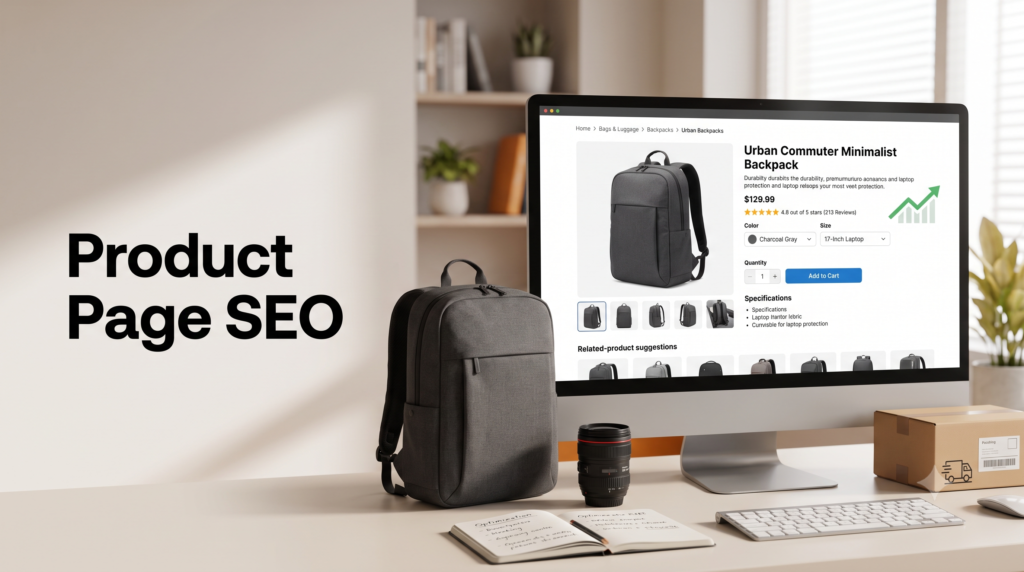
Ecommerce SEO › Product Page SEO
Product Page (PDP) SEO: Titles, Descriptions and Images That Rank and Convert
Your product page is where the sale is won or lost, and where high-intent search traffic lands. The good news is that optimizing a product page for search and optimizing it for buyers are the same job. Here’s how to write titles, descriptions, and images that rank in Google and turn browsers into buyers.
By Rahul Saini, Author at Search Counsel Co. Last updated [Month] 2026. Part of our ecommerce SEO guide.
Featured answer: how do you optimize a product page for SEO?
Write a keyword-rich title and H1 using the product’s real name and key attributes, replace manufacturer boilerplate with a unique benefits-led description, use multiple high-quality images with descriptive filenames and alt text, gather reviews to earn star ratings, keep the URL clean, and add product schema. Optimize for the buyer first; the ranking follows.
The core idea. A product page ranks when it does two things: it satisfies what the searcher wants, and it gives search engines clear signals about what the product is. Those aren’t competing goals. A page that answers a shopper’s questions clearly, “what is it, will it fit, is it any good, can I trust you,” naturally contains the words they searched and the structure Google needs.
On this page
1) Confirm the page should be a PDP
Before optimizing, check the search intent, because a product page can’t win a query that wants a guide. Search your target keyword in an incognito window and read page one. If Google returns product pages, a PDP is the right format. If it returns buying guides or comparisons, that keyword belongs to a buying guide or a category page, not a product page. Match the format the search rewards, then optimize within it.
2) Titles and H1s that rank
Your title is the first text a shopper reads and the main signal Google uses to match your page to a query, so it has to describe the product in the words people actually search. The reliable formula:
Brand + Product Name + Key Attribute
“Patagonia Better Sweater Fleece Jacket, Women’s” beats “Better Sweater.” “Wool Running Socks, Merino Blend, Crew” beats “The Trailblazer.”
A few rules make the difference. Put the most important attributes and keywords near the front, since titles get truncated in search results. Keep the title tag under about 60 characters. Lean on the descriptive name, not a clever brand-only name: a made-up product name gets search demand only after years of marketing, while a keyword-rich title captures demand from day one. Include the attributes buyers search by, color, size, material, or use case, and check for industry terms people actually use (“self tan” versus “fake tan”) so you don’t miss demand.
The H1 and the title tag can differ slightly: the H1 reads naturally on the page, while the title tag front-loads keywords for the search result. This isn’t a small lever. One retailer improved its product naming and attribute conventions and saw product-page impressions and clicks rise by around 80%.
3) Descriptions that rank and convert
The product description is where most stores lose on both fronts, because they paste the manufacturer’s copy. That copy appears on dozens of other stores, so it’s duplicate content that gives you nothing unique to rank on and nothing persuasive to convert with. Write your own. Here’s the structure that works for buyers and search engines at once:
- Lead with the benefit, then the feature. Open with one or two sentences on what the product does for the shopper and why it matters, then support with the specifics. “Keeps your coffee hot for 12 hours” lands before “double-walled vacuum insulation.”
- Be concrete. Real numbers and specifics beat adjectives. “Fits a 15-inch laptop and a water bottle” tells a shopper more than “spacious and versatile.”
- Add scannable bullets for specs. A short bullet list of key specs above or alongside the prose captures shoppers who skim, which is most of them.
- Make variants unique. If you sell five colors of the same item, each page needs meaningfully different copy, or a canonical, so the variants don’t compete with each other for the same terms. The canonical side is covered in our duplicate content and canonicalization guide.
- Keep your brand voice. As catalogs grow and different people write copy, listings start to read like different brands. A consistent voice is a quiet trust signal.
Work your keywords in naturally, using long-tail and feature-specific phrasing rather than repeating the exact term. Write it for a person; if a sentence sounds awkward, rewrite it. For finding the terms buyers use, see our ecommerce keyword research guide.
4) Images and video
Shoppers evaluate visually before they read a word, and a large share of purchase decisions are driven by how a product looks. Images are a conversion tool and an SEO asset at the same time. Cover both:
- Show the product properly. Use several images: the product on a clean background as the first shot, then multiple angles, close-ups of materials and texture, a shot that conveys scale, and lifestyle or on-model images in the gallery. Add a short demo video where it helps.
- Name and tag images for search. Use descriptive filenames (“blue-linen-blazer-front.jpg,” not “IMG_3847.jpg”) and write alt text that describes the product for accessibility and image search (“blue linen blazer, front view with pearl buttons”).
- Keep them fast. Compress images and use modern formats like WebP or AVIF, set explicit dimensions to avoid layout shift, and lazy-load images below the fold while making sure the main image appears instantly.
- Never use generic stock photos. Shoppers reverse-image-search, and if your photo appears on ten other stores, trust collapses. Original photography is worth the cost.
5) Reviews and star ratings
Reviews do triple duty. They persuade shoppers, they add fresh, keyword-rich content to the page over time as customers describe the product in their own words, and they feed the AggregateRating that produces star ratings in search results. A product result showing 4.7 stars consistently out-clicks an identical result without them, so reviews directly lift your traffic, not just your conversion.
Make leaving a review easy, display ratings prominently (below the title, near the price), and let customers add photos. One rule: only show real stock and rating data. Faking “only 3 left” or inflating ratings is among the fastest ways to destroy trust. The schema that turns reviews into star ratings is covered in product schema and rich results.
6) URLs, links and the technical basics
A few on-page technical items round out a strong PDP:
- Clean URLs. Short and descriptive (“/products/wireless-bluetooth-headphones”), not random strings or numbers.
- Internal links. Add breadcrumbs, link up to the product’s category and subcategory, and add “customers also bought” or related-product links to spread authority and keep shoppers moving. Link back to relevant buying guides too.
- Canonicals. Give each product a self-referencing canonical, and when the same product sits under multiple categories or gains tracking parameters, canonical to the main version so variants don’t split ranking signals. The full method is in our canonicalization guide.
- Product schema. Mark up price, availability, and rating so you’re eligible for rich results, which lifts click-through. If structured data is new to you, start with the schema markup guide.
7) Mobile and page speed
Most shopping happens on phones, and both mobile experience and speed feed rankings and conversion. Keep the buy box (image, title, price, variant picker, add-to-cart) visible in one viewport. Use variant pickers as tappable buttons rather than dropdowns, collapse specs and shipping into accordions, and add a sticky add-to-cart bar that stays visible as shoppers scroll, which reliably lifts mobile add-to-cart rates. On speed, aim to load in under about three seconds; compress images, trim unused JavaScript and CSS, and cache aggressively. A slow product page loses sales and rankings at the same time.
8) How to prioritize
Don’t rewrite every product page at once. Two fast wins first:
- Fix low-CTR pages. In Search Console, find product queries with lots of impressions but low click-through. Google already ranks those pages; the title or description just isn’t earning the click. Rewriting them is faster than chasing new keywords.
- Fix low add-to-cart pages. Rank your top product pages by traffic, then by add-to-cart rate. The high-traffic, low-conversion pages are your biggest opportunities. Apply the fixes above to those first.
Free resource
Audit your product pages
Our Ecommerce SEO Audit Checklist includes a PDP section covering titles, descriptions, images, schema, and duplicate-content checks. Want it handled for you? See our ecommerce SEO service.
9) Common mistakes
- Manufacturer descriptions. Duplicate copy that appears on many stores gives you nothing to rank on. Write original descriptions.
- Vague, brand-only titles. “The Trailblazer” captures no search demand. Use the descriptive name and attributes.
- Identical variant copy. Near-identical color or size pages compete with each other. Differentiate or canonicalize.
- Generic stock images. They tank trust and offer nothing unique. Use your own photography.
- Fake scarcity. Inflated stock counts or ratings destroy trust fast. Show real data only.
- Slow, cluttered mobile pages. A buried add-to-cart and slow images lose the sale on the device most shoppers use.
10) Sources used
| Source | What it supports |
|---|---|
| 2026 PDP best-practice guides (Mobiloud, Cartylabs, Pixofix, Marketing Success) | Title formula and length, description structure, image and mobile best practices. |
| BluestonePIM and Embed360 | Reviews feeding AggregateRating and CTR; the duplicate-content risk from manufacturer and identical variant copy. |
| NOVOS (MADE.com case) | Product-naming and attribute optimization lifting PDP impressions and clicks around 80%. Single case, directional. |
| Zolak and Baymard (via NOVOS) | The heavy influence of visuals on purchase decisions and how quickly shoppers reach the product page. Directional. |
FAQ: product page SEO
How do you write a product title for SEO?
Use the formula Brand plus Product Name plus Key Attribute, with the most important keywords near the front, and keep the title tag under about 60 characters. Lean on the descriptive name buyers search (“Merino Wool Running Socks”) rather than a brand-only name, and include attributes like color, size, or material. The H1 can read more naturally than the title tag.
Should I use the manufacturer’s product description?
No. Manufacturer descriptions appear on every store that sells the item, so they’re duplicate content that can’t rank and doesn’t differentiate you. Write your own, leading with benefits, being specific, and using the words your buyers search. If you sell many variants, give each a meaningfully different description or use canonical tags so they don’t compete.
Do product images affect SEO?
Yes, in two ways. Descriptive filenames and alt text help you appear in image search and improve accessibility, and fast, well-optimized images help page speed, which is a ranking and conversion factor. Beyond SEO, strong original images drive a large share of purchase decisions, while generic stock photos that appear on other stores erode trust.
Do customer reviews help product page rankings?
Yes. Reviews add fresh, keyword-rich content over time as customers describe the product, and they feed the AggregateRating schema that shows star ratings in search results. Those stars lift click-through, so more reviews can mean more traffic to the same ranking. Display them prominently and only ever show genuine ratings.
How long should a product description be?
Long enough to answer a buyer’s real questions and cover the product properly, which usually means a few short paragraphs plus a scannable spec list, not a single line. Complex or high-consideration products justify more depth. Prioritize usefulness and uniqueness over hitting a word count, and never pad with filler to reach an arbitrary length.
Why isn’t my product page ranking despite good content?
Common causes include duplicate manufacturer copy, variants competing for the same keyword, missing product schema, thin or slow pages, or an intent mismatch (targeting a keyword that wants a guide, not a product). Check Search Console for impressions with low clicks first, and confirm the page has unique content, a clean canonical, and the right format for the query.
Where to go next
A strong product page is the same work whether you’re optimizing for search or for sales: a clear, keyword-honest title, a unique benefits-led description, real images, genuine reviews, and a fast, clean page. Fix your low-CTR and low-conversion pages first, then work down the catalog.
From here, make your pages eligible for rich results with product schema and rich results, handle stock changes in out-of-stock, discontinued and seasonal products, see how the same page data drives AI product recommendations, or step back to the full ecommerce SEO guide.
Editorial note: This guide is for general marketing education. Ecommerce ranking and conversion behavior change over time, and several figures here are directional or from single cases. Verify current data before acting on it.