Ecommerce SEO › Product Page SEO
How to Handle Out-of-Stock, Discontinued and Seasonal Products (SEO)
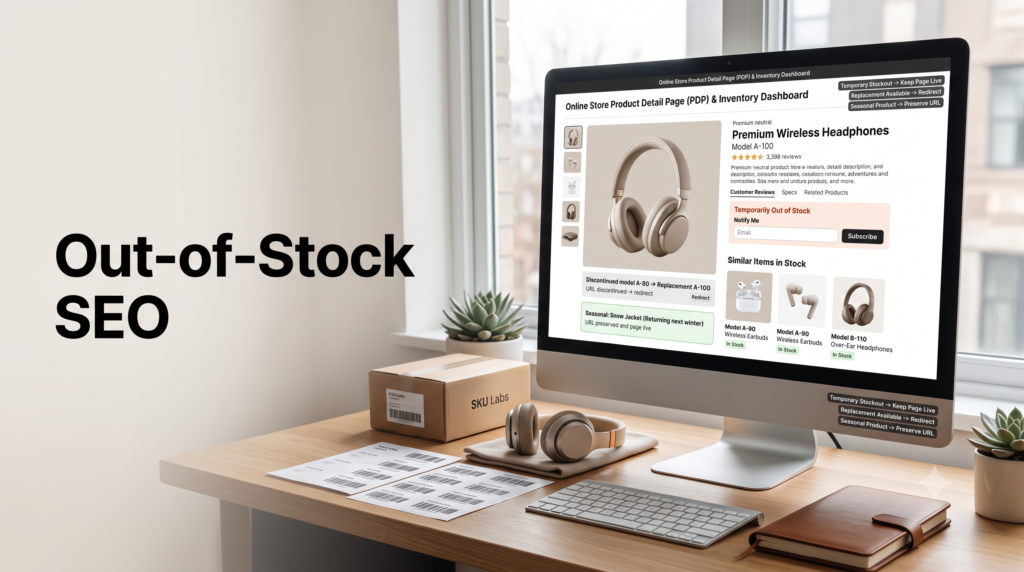
Deleting an out-of-stock product page is one of the most common and costly SEO mistakes stores make. Do it wrong and you throw away rankings, backlinks, and future sales. The right move depends on one question: is the product coming back? Here’s the decision, scenario by scenario.
By Rahul Saini, Author at Search Counsel Co. Last updated [Month] 2026. Part of our ecommerce SEO guide.
Featured answer: what should you do with out-of-stock product pages?
If the product is temporarily out of stock, keep the page live at a normal 200 status, mark it out of stock, and add a notify-me option and alternatives. If it’s permanently discontinued, check the page’s value first: redirect to a replacement or close category with a 301, or return a 410 if it has no traffic or links. Never just delete a valuable page.
Why this matters. A product page often earns rankings and backlinks over months or years. Delete it and that value is gone. But the opposite error hurts too: a shopper who clicks three sold-out products in a row doesn’t think “great link equity preservation,” they think “this store doesn’t have what I need,” and leave. Good stock handling protects both your SEO and the sale.
On this page
1) The one question that decides everything
Before you touch a sold-out page, answer one thing: is the product coming back? Everything flows from there.
| Situation | Do this |
|---|---|
| Coming back soon (temporary) | Keep the page live at 200. Mark it out of stock, add a notify-me form and alternatives. Don’t redirect or delete. |
| Gone, but has a replacement | 301 redirect to the replacement product. |
| Gone, has traffic or links, no replacement | 301 to the closest specific category, or keep the page live and marked discontinued if it still earns traffic. |
| Gone, no traffic, no links | Return a 410 (or 404) to save crawl budget. |
| Returns every season | Keep the page live year-round, demote it off-season. Don’t delete. |
For any permanent decision, check the page’s value first in Search Console or a backlink tool: does it have traffic, rankings, or links worth keeping? That single check prevents the most expensive mistakes.
2) Temporarily out of stock
This is the easy one to get right and the easy one to ruin. The product is coming back, so the demand and the page’s value both still exist. Keep the page live at a normal 200 status. Do not 404 it, do not 301 it, and do not noindex it, because you want it to hold its rankings for when stock returns. Instead, manage the experience:
- Set the availability correctly. Use product schema to mark the page OutOfStock (or BackOrder), so search results show accurate status. Keep the markup matching the page, as covered in product schema and rich results.
- Say so clearly, where the buy button was. “Temporarily out of stock” with an estimated restock date (“expected back by March 15”) sets expectations instead of leaving a dead button.
- Add a notify-me form. An email capture above the fold turns a lost visit into a future sale, and it’s your best signal of pent-up demand.
- Show alternatives. “Looking for something while you wait?” with a few in-stock options keeps the visitor shopping instead of bouncing to a competitor. Pre-orders work well when restock timing is reliable.
- Keep it real content, not an empty shell. An out-of-stock page stripped of everything can be treated as a soft 404 and dropped from the index. Keep the description, images, and reviews in place.
On category pages, you can keep out-of-stock items listed but push them to the bottom, or offer a filter to hide them, so available products lead. Keep the individual product page indexable even when you demote it in the grid. The category-side detail lives in category page SEO.
3) Permanently discontinued
When a product is gone for good, there’s no single right answer, only the right answer for that page. Work down this order:
- Is there a direct replacement? If a newer model or near-identical product exists, 301 redirect the old page to it. This is the best experience (the shopper wanted that kind of product and you’re showing the current version) and it preserves most of the old page’s link equity. Make the swap obvious on the destination: “This model has been replaced by the X2000.”
- No replacement, but the page has value? If it has traffic, rankings, or backlinks, 301 redirect it to the closest specific category, so that authority flows to a live page. Redirect to the most relevant subcategory, never the homepage, and don’t redirect one product to another you’re also about to discontinue (that creates chains). The general redirect mechanics are in our URL structure and redirects guide.
- Still useful or still ranking? Sometimes the page ranks for a specific model name, or holds truly useful content like manuals or care instructions. Redirecting it can frustrate the exact person searching for it. In that case, keep the page live, mark it clearly as discontinued, remove the buy button, and link prominently to related products and categories. Watch it over time; if traffic fades, remove internal links, drop it from the sitemap, and eventually retire it.
- No traffic, no links, no replacement? Let it go with a 410. There’s nothing to preserve, and a clean removal saves crawl budget.
One more step for discontinued items: remove them from your product feed so Google Shopping and AI shopping engines don’t keep surfacing something you no longer sell.
4) 301 vs 410 vs 404, quickly
Three status codes cover almost every case. Here’s what each signals:
| Code | Meaning and when to use it |
|---|---|
| 301 | “Moved permanently.” Passes most link equity to the target. Use for discontinued pages that have value and a relevant destination. |
| 410 | “Gone.” Signals intentional, permanent removal, so it deindexes cleanly. Use for low-value pages with nowhere sensible to redirect. |
| 404 | “Not found.” Ambiguous (could be an error). Fine when 410 isn’t available; in practice the difference between the two is small now. |
Google removes pages returning 4xx codes from its index over time, which is exactly what you want for a page that should disappear. If you do return a 404 or 410, make it a custom page with site search, related products, and clear navigation, not a dead end. A helpful “gone” page keeps a disappointed shopper on your site.
5) Seasonal products
Seasonal products are really a special case of “temporary.” The item disappears for months, then returns, so you treat the page like a temporary stockout that lasts a season. Keep the URL live year-round rather than deleting and recreating it, because a page rebuilt from scratch each year starts with no ranking history. Off-season, demote it: remove it from prominent internal links and the top navigation so it isn’t front and center, but keep it reachable and indexed so it regains position when the season returns.
The same logic applies to seasonal landing pages. Keep one evergreen URL, /black-friday/ or /christmas-gifts/, and refresh its content, dates, and product selection each year. A single evergreen URL maintained over several years will out-rank a fresh /black-friday-2027/ page that starts from zero every time.
6) Watch your platform
Some platforms make this decision for you, badly. Certain systems automatically return a 404 or 410 the moment a product’s stock hits zero, then bring the page back when stock returns. That quietly kills pages that had valuable rankings and links, often without anyone on the marketing side noticing. If you’re on a platform known for this behavior, ask your developers how it handles zero-stock URLs before it costs you. And for products with variants, let sold-out variants stay visible rather than hiding them, so the page stays complete.
Free resource
Audit your stock handling
Our Ecommerce SEO Audit Checklist includes checks for soft 404s, orphaned discontinued pages, and out-of-stock handling. Want it handled for you? See our ecommerce SEO service.
7) Common mistakes
- Deleting temporary stockouts. The demand and the rankings still exist. Keep the page live and manage the experience.
- Redirecting everything to the homepage. It preserves link equity on paper but dumps the shopper nowhere useful. Redirect to the closest relevant page.
- Leaving empty out-of-stock pages. A stripped page can become a soft 404. Keep real content and correct availability schema.
- Ignoring backlinks before removing a page. Check value first; a page with strong links deserves a 301, not deletion.
- Recreating seasonal URLs each year. Keep one evergreen URL and refresh it.
- Leaving discontinued items in the feed. They’ll keep appearing in Shopping and AI answers. Remove them.
8) Sources used
| Source | What it supports |
|---|---|
| Out-of-stock and discontinued SEO guides (Yoast, Conductor, Wolfgang Digital, EcomHint, Tomango) | The temporary-versus-permanent framework, keeping temporary pages live, and the value-check-first approach to discontinued pages. |
| Google guidance on HTTP status codes and redirects | 4xx pages being removed from the index over time, and 301s signaling a permanent, canonical move. |
| Contrast, Transistor Digital, The Gray Company | 301 preserving most link equity, the 410-versus-404 distinction, and redirect-chain cautions. Directional. |
| Baymard UX research (via Tomango) and DiffuseDigital | Shopper behavior when a product is out of stock, and the soft-404 risk. Directional. |
FAQ: out-of-stock and discontinued products
Should I delete out-of-stock product pages?
Not for temporary shortages. Deleting throws away the page’s rankings and links while the demand still exists. Keep the URL live at a 200 status, mark it out of stock, add a notify-me form, and show alternatives. Only consider removal for permanently discontinued items, and even then a 301 to a close alternative usually beats a hard delete for pages that had search value.
What’s the difference between a 301, 410 and 404 for products?
A 301 permanently redirects the old URL to a relevant live page and passes most of its link equity, so it’s best for discontinued pages with value. A 410 says the page is intentionally gone and deindexes cleanly, best for low-value pages. A 404 says “not found” and is more ambiguous; in practice the difference between 410 and 404 is small today.
How do I handle a temporarily out-of-stock product?
Keep the page live and indexable, set its availability schema to out of stock so search shows the right status, and manage the experience: clear “temporarily out of stock” messaging with an estimated restock date, a notify-me email form, and a few in-stock alternatives. Don’t redirect, delete, or noindex it, since you want it to hold its rankings for when stock returns.
What should I do with discontinued products?
Check the page’s value first. If a replacement exists, 301 redirect to it. If there’s no replacement but the page has traffic or links, 301 to the closest specific category, or keep it live and clearly marked discontinued if it still earns traffic or holds useful content. If it has no traffic and no links, return a 410. Never bulk-redirect discontinued products to the homepage.
Can out-of-stock products hurt my SEO?
They can if handled badly. An empty or stripped out-of-stock page can be treated as a soft 404 and dropped from results, and a run of sold-out products pushes shoppers to competitors. You avoid this by keeping temporary pages live with real content and correct availability schema, showing alternatives, and never redirecting a temporary stockout to the homepage. Handled well, a short stockout does little lasting damage.
How do I handle seasonal products for SEO?
Treat them like a long temporary stockout. Keep the page or URL live all year rather than deleting and recreating it, since a rebuilt page loses its ranking history. Off-season, demote it by removing prominent internal links and top-nav placement, but keep it indexed so it recovers position when the season returns. For seasonal landing pages, use one evergreen URL and refresh it each year.
Where to go next
Stock handling comes down to one question, is it coming back, and then matching the action to the page’s value. Keep temporary and seasonal pages live and managed, redirect valuable discontinued pages to the closest relevant destination, and only remove pages that have nothing left to preserve.
From here, make sure your live pages are fully optimized in product page SEO, keep availability accurate with product schema and rich results, or step back to the full ecommerce SEO guide.
Editorial note: This guide is for general marketing education. Google’s handling of status codes and stock signals can change, and several points here are directional or vary by source. Verify current guidance and check your platform’s behavior before making bulk changes.