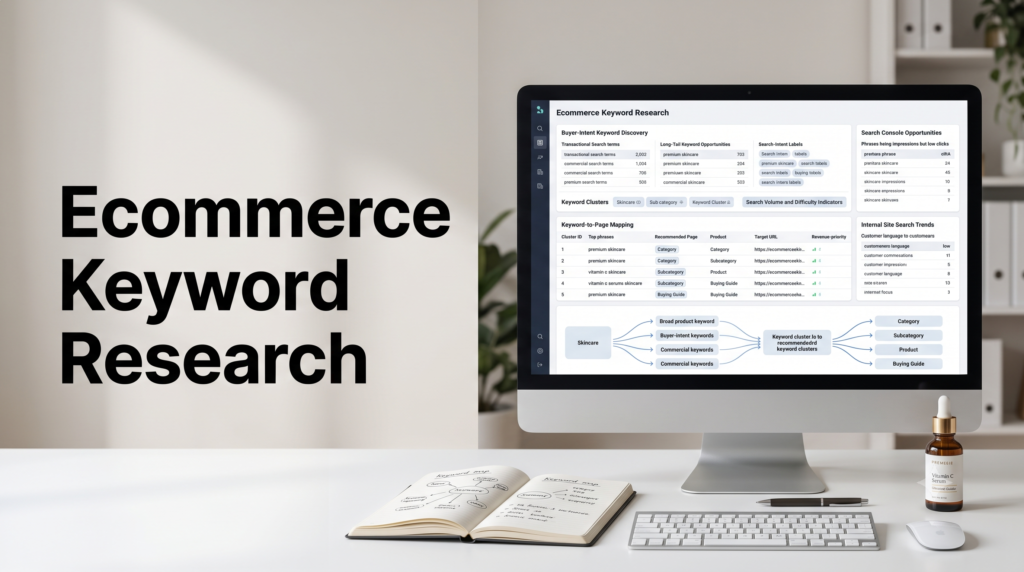
Ecommerce SEO › Keyword Research
Ecommerce Keyword Research: Finding Buyer-Intent Terms
The biggest search volume rarely sits on the keywords that make you money. Ecommerce keyword research isn’t about finding the most-searched terms, it’s about finding the words shoppers use when they’re ready to buy, grouping them, and putting each group on the page that can actually convert it. Here’s the full process, including the sources most stores miss.
By Rahul Saini, Author at Search Counsel Co. Last updated [Month] 2026. Part of our ecommerce SEO guide.
Featured answer: what is ecommerce keyword research?
Ecommerce keyword research is the process of finding the search terms shoppers use to browse, compare, and buy, then matching each term to the right page. It prioritizes buyer intent over raw volume, so your category pages, product pages, and guides each target the queries they can actually convert.
The shift that changes everything. Most keyword guides tell you to chase volume. For a store, that’s how you end up ranking for terms that bring browsers, not buyers. The useful question isn’t “how many people search this,” it’s “what is this person trying to do, and which of my pages should answer them.” Get that mapping right and your revenue pages start ranking for the searches that pay.
On this page
2. The four intent types, for shopping
3. Buyer-intent modifiers to watch for
4. Build seeds from your catalog
5. Expand the list (and mine your own data)
6. Two sources most stores skip
7. Cluster keywords before you map
8. Map each keyword to the right page
9. Prioritize by intent, difficulty and revenue
1) Intent beats volume
Every search has a reason behind it. Someone typing “how to clean suede boots” wants information. Someone typing “buy suede chelsea boots size 9” wants to check out. Both might have healthy search volume, but only one belongs on a product page.
This is the core move in ecommerce keyword research: read the intent first, and let the number come second. High-intent commercial and transactional searches make up a smaller slice of total demand, one common estimate puts them near 15% of queries, yet they’re the ones tied to revenue. Buyer keywords tend to convert around two and a half times better than broad head terms, because the person has already decided what they want and is just choosing where to get it.
The four intent types are a fundamental you’ll see across all of SEO, covered in depth in our guide to search intent and the general keyword research method. What follows is the store-specific version: how those types show up in shopping searches, and which page each one belongs on.
2) The four intent types, for shopping
Here’s how the standard intent categories translate to an online store, from “just looking” to “card in hand.”
- Informational (learning). “How does noise cancellation work,” “how to measure ring size.” The shopper is researching, not buying yet. These belong on blog posts and guides, not product pages.
- Navigational (finding a specific place). “[Your brand] returns policy,” “Nike official store.” The person already knows where they’re going. You should own your own brand terms, but there’s little new demand to win here.
- Commercial (evaluating). “Best running shoes for flat feet,” “Sony vs Bose headphones,” “leather sofa reviews.” The shopper is comparing and close to buying. This is where the largest winnable opportunity sits, because these results are less crowded with ads than pure “buy” terms.
- Transactional (ready to buy). “Buy standing desk,” “waterproof hiking boots free shipping,” “PAX wardrobe white.” The decision is made; they want a page to purchase from. These map straight to your category and product pages.
Commercial and transactional together are your buyer-intent keywords. They’re the priority for a store, but the smart approach still targets some informational and commercial terms with content that feeds shoppers toward the buying pages, which is exactly what buying guides and comparison pages are for.
3) Buyer-intent modifiers to watch for
The base term tells you the product. The modifier tells you where the shopper is in the decision. Learn to spot these and you can classify a keyword in seconds.
| Signal | Typical modifiers | What it means |
|---|---|---|
| Transactional | buy, order, price, cheap, discount, coupon, deal, in stock, free shipping, near me, plus specific size / color / model | Ready to purchase. Send to a product or category page with a clear path to checkout. |
| Commercial | best, top, review, compare, vs, alternatives, “for [use case]” | Evaluating options. Serve a comparison page, a strong category page, or a buying guide. |
| Informational | how to, what is, guide, ideas, tips, why | Learning. Answer with content, then link toward the relevant product pages. |
A useful pattern: the longer and more specific a query, the clearer its intent and the easier it is to rank for. “Shoes” is a battle you won’t win as a new store. “Waterproof trail running shoes for wide feet” is specific, lower competition, and comes from someone who knows what they want. Those long-tail terms tend to convert better, and most search terms only get a handful of searches a month, so the long tail is where the real winnable demand lives for a smaller store.
4) Build seeds from your catalog
You don’t start ecommerce keyword research in a tool. You start in your own product catalog, because it already contains the language of what you sell. Walk through it and pull three kinds of seed terms:
- Category seeds: the groups of products you sell, like “men’s jeans,” “noise-cancelling headphones,” “office chairs.” These feed your category and collection pages.
- Product seeds: specific items, brands, and models, like “Herman Miller Aeron” or “Anker 737 power bank.” These feed individual product pages.
- Attribute and problem seeds: features, use cases, and the problems your products solve, like “waterproof,” “for small kitchens,” “shoes for plantar fasciitis.” These feed subcategory pages and content.
You don’t need hundreds to begin. A focused set of 20 to 50 strong seeds is plenty to build a full strategy from. The goal at this stage is coverage of your catalog, not a finished list.
5) Expand the list (and mine your own data)
Once you have seeds, expand each one into the real phrases shoppers type. Start with the usual sources:
- Google Keyword Planner for volume ranges and related ideas (free with a Google Ads account).
- Google autocomplete, People Also Search For, and the People Also Ask box for the exact modifiers and questions real users add to your seed.
- Amazon and marketplace autocomplete, which surfaces high buyer-intent phrasing you won’t always find in Google tools.
- Competitor pages, especially their category and top product page titles and headings, which show the terms they’re already targeting.
- A dedicated keyword tool (Semrush, Ahrefs, and similar) to pull volume, difficulty, and intent at scale and to validate the terms you found manually.
Then do the part most stores skip: mine your own data. First-party sources are often more accurate than any tool, because tool databases lag and miss the way people actually phrase things.
- Google Search Console. Sort for queries where you already get impressions but few clicks, especially phrases of four or more words. Those are “accidental” rankings that point straight at a page you should build or strengthen.
- Internal site search. The terms shoppers type into your own search box are unfiltered demand, in their exact words, from people already on your site.
- Reviews and support tickets. The language customers use to describe problems and features is usually the same language they search with.
Finally, before you commit a page to any keyword, search it and look at what Google actually ranks. If the top results are all blog posts, Google reads that term as informational no matter how commercial the modifier looks, and a product page won’t rank for it. If the results are category and product pages, you’ve confirmed the page type to build. This 30-second check saves weeks of pointing the wrong page at the wrong query.
6) Two sources most stores skip
Keyword tools have a blind spot, and it quietly costs stores revenue. Two kinds of terms fall through the cracks.
Zero-volume keywords. Tools often report specific, buyer-ready phrases as having little or no search volume, then filter them out of your list. For ecommerce that’s a mistake. A query like “standing desk for tall people who slouch” might show thirty searches a month and still convert at a high rate, because whoever types it is at the bottom of the funnel and knows exactly what they want. These low-volume, high-intent terms are precisely what justify a dedicated subcategory or comparison page. Trust your Search Console impressions over a tool’s volume estimate, and keep transactional zero-volume terms in the plan. Collectively they can out-earn a single head term.
Seasonal keywords. Demand for many products spikes on a calendar: gifting, back-to-school, weather-driven categories, holiday variants. Identify those terms two to three months ahead of the peak so the page has time to index and rank before the traffic arrives. Trying to rank a brand-new page in the week demand hits is too late. Where those seasonal terms become recurring content, plan them into your content calendar.
7) Cluster keywords before you map
Before you assign keywords to pages, group them. Ten phrasings of the same need don’t need ten pages, they need one page that covers the whole cluster. The rule is one page per intent, not one page per keyword.
“Waterproof trail running shoes,” “trail running shoes for rain,” and “waterproof running shoes for mud” are the same shopper looking for the same thing. They belong on one page. Split them across separate thin pages and you create keyword cannibalization, where your own pages compete for the same searches and none of them rank well. The mechanics of that problem are in our keyword mapping and cannibalization guide.
Group terms by shared intent and, where you can, by overlap in what’s already ranking: if the same pages rank for two of your terms, one page of yours can serve both. Each cluster then gets one primary keyword, and the variants become the secondary terms you work into that page. This is keyword-level clustering; the wider discipline of structuring your whole site into pillars and clusters for topical authority is covered in building topical authority.
8) Map each keyword to the right page
This is the step that separates ecommerce keyword research from generic keyword research, and it’s where most of the value lives. By some analyses the large majority of web pages get no organic traffic at all, and unmapped, overlapping pages are a common reason. A clean map is how you avoid joining them.
Every cluster you keep gets assigned to one page, matched by intent to the page type that can serve it:
| Example query | Intent | Page it belongs on |
|---|---|---|
| running shoes | Broad commercial | Category / collection page |
| waterproof trail running shoes | Long-tail commercial | Subcategory / filtered category page |
| [brand] [model] running shoe size 10 | Transactional | Product page (PDP) |
| best running shoes for flat feet | Commercial investigation | Buying guide / blog post |
| how to clean running shoes | Informational | Support article / blog post |
The pattern to internalize: broad commercial terms go to category pages, specific product and model terms go to product pages, long-tail buyer terms go to subcategory or attribute pages, and informational and comparison terms go to content. Category and collection pages usually carry the strongest commercial intent and, for most stores, drive the most organic revenue, which is why they deserve your best keywords. We cover building those pages in category page SEO and the long-tail ones in subcategory and attribute pages; product-page optimization lives in product page SEO.
Turn this into an actual document. The deliverable of keyword research isn’t a giant list, it’s a keyword-to-URL map where every important cluster has a home. At a minimum, track these columns:
| Column | What it holds |
|---|---|
| Primary keyword | The one main term for the page, with its close variants noted alongside. |
| Intent | Informational, commercial, or transactional. |
| Page type | Category, subcategory, product, or guide. |
| Target URL | The existing page, or a note that it needs to be built. |
| Priority | Set from intent, difficulty, and revenue potential (next section). |
| Status | Live, needs optimizing, or to build. |
Two rules keep the map clean. Give each page one primary keyword plus its cluster of secondaries, not a pile of unrelated terms. And when a cluster represents a truly new intent that no existing page serves, that’s a signal to build a new page, often a collection page you’re missing entirely. If a keyword has no matching URL, that’s not a content gap, it’s a page you haven’t built yet, and it’s usually where the biggest revenue hides.
9) Prioritize by intent, difficulty and revenue
You’ll end up with more keywords than you can act on at once. Rank them so you work the highest-value pages first, using four filters together rather than any one alone:
- Intent. Commercial and transactional terms that map to money pages come first. A high-volume informational term is not more valuable than a lower-volume “buy” term.
- Relevance. The keyword has to match something you actually sell. Traffic that can’t buy your product is a vanity metric.
- Difficulty. Check the keyword difficulty score and the type of sites already ranking. Newer stores should focus on terms with difficulty under roughly 50%, which usually means the longer, more specific buyer phrases.
- Revenue potential. Rough it out: search demand multiplied by how likely that visit is to convert. A term with modest volume and strong purchase intent often beats a popular term that mostly attracts researchers.
The payoff of doing this well is concrete. One beauty retailer that mapped transactional keywords to its revenue pages, and built new “money pages” for gaps in its hierarchy, reported a roughly 250% jump in organic revenue over a year. That came from pointing the right keywords at the right pages, not from chasing bigger numbers.
Free resource
Turn research into a plan
Our Ecommerce SEO Audit Checklist includes a keyword-to-page mapping section: intent classification, one-primary-per-page checks, and spotting the category pages you’re missing. Want it built for you? See our ecommerce SEO service.
10) Keyword research for AI shopping
Shoppers increasingly ask AI assistants for recommendations instead of typing keywords into Google, and the “keyword” becomes a prompt: “what’s the best budget espresso machine,” “which running shoe should I buy for wide feet.” Assistants like ChatGPT turn those conversational prompts into searches of their own, so the buyer intent is identical, just phrased as a full question. That’s another reason long-tail research pays off: your specific, intent-rich phrases mirror how people talk to AI. The intent-mapped, topically complete coverage you build for Google is largely the same coverage that gets a brand cited in AI answers, so you research once and serve both surfaces. The store-specific tactics, and the prompt research behind them, live in our posts on AI shopping recommendations and building a content ecosystem for AI shopping, with the broader discipline in our AI search guide.
11) Common mistakes
- Chasing volume over intent. Ranking for popular informational terms that never convert is the classic ecommerce trap. Prioritize buyer intent.
- Pointing the wrong page type at a keyword. Optimizing a category page for an informational query, or a blog post for a “buy” query, fights the results Google already rewards. Check the SERP first.
- One page per keyword. Building a separate thin page for every variant causes cannibalization. Cluster related terms onto one page per intent.
- Deleting zero-volume terms. Low tool volume isn’t low opportunity. Some of the highest-converting pages target specific phrases tools barely register.
- Ignoring long-tail. The specific, lower-competition phrases are where a newer store actually ranks and where buyer intent is clearest.
- Leaving the research in a spreadsheet. Research that never becomes a keyword-to-page map and real page changes does nothing. The map is the deliverable, not the list.
- Never revisiting it. Catalogs, seasons, and demand shift. Treat the map as a living document, not a one-time project.
12) Sources used
| Source | What it supports |
|---|---|
| Shopify, Semrush and Backlinko ecommerce keyword guides | Intent over volume, the seed-and-expand process, categorizing keywords by intent, and mapping them to product, category, and blog pages. |
| 1Digital, Cartiful, SureCart and Digital Commerce Partners | The keyword-to-URL map and its columns, category pages as the commercial workhorse, one-primary-per-page, missing category pages as the biggest opportunity, seasonal timing, and checking the SERP before building. |
| Long-tail and clustering references (Yotpo, ContentGecko, W3Era, GrowthOS, Ignite Visibility) | One page per intent, SERP-overlap clustering, the ~2.5x conversion edge, and long-tail as the winnable path for smaller stores. Directional. |
| Zero-volume and first-party references (TopicalMap AI, Nuwtonic, ContentGecko) | Tool volume thresholds missing high-intent terms, Search Console as source of truth, and mining site search, reviews, and impressions data. Directional. |
| Cosmetify case study (via Backlinko) | The organic-revenue lift from mapping transactional keywords to money pages. Single case, directional. |
FAQ: ecommerce keyword research
What are buyer-intent keywords in ecommerce?
They’re the search terms shoppers use when they’re close to buying, rather than just researching. They fall into two groups: commercial keywords that show evaluation (“best,” “review,” “vs,” “compare”) and transactional keywords that show readiness to purchase (“buy,” “price,” “discount,” “free shipping,” or a specific size, color, or model). These are the terms worth prioritizing for a store because they connect directly to revenue.
Should keywords go on category pages or product pages?
It depends on how specific the term is. Broad terms describing a group of products, like “women’s sandals,” belong on category or collection pages. Specific terms naming an item, brand, or model, like “Birkenstock Arizona sandal,” belong on the individual product page. Long-tail terms with a clear attribute, like “brown leather flat sandals,” fit subcategory or attribute pages. Matching term to page type is the whole point of keyword mapping.
How many keywords should I target per page?
One primary keyword per page, supported by a cluster of two to four closely related secondary variants. Targeting several unrelated keywords on one page dilutes it, and targeting the same keyword on multiple pages causes cannibalization, where your own pages compete and none rank well. If a keyword represents a distinctly different intent, it needs its own page.
Do zero-volume keywords matter for ecommerce?
Often, yes. Keyword tools rely on lagging databases and minimum-volume thresholds, so they under-report very specific, buyer-ready phrases. A term showing near-zero volume can still bring a steady trickle of shoppers who are ready to buy, and collectively these terms can out-earn a single head term. Use Search Console to confirm real impressions, and keep high-intent, low-volume terms in your plan, especially the ones that justify a comparison or subcategory page.
Is search volume or intent more important for ecommerce?
Intent, in most cases. A high-volume informational term can bring lots of traffic that never buys, while a lower-volume transactional term brings fewer visitors who are ready to purchase. For revenue, the second is usually more valuable. Use volume as one input, but weigh it against intent, relevance to what you sell, difficulty, and realistic conversion potential.
What tools do I need for ecommerce keyword research?
You can start with free tools. Google Keyword Planner gives volume ranges, Google Search Console shows the queries you already appear for, and autocomplete plus the People Also Ask box surface real phrasing. Amazon’s search suggestions are strong for buyer-intent terms. A paid tool like Semrush or Ahrefs adds difficulty scores and larger keyword databases at scale, but it’s an accelerator, not a requirement, and its volume figures should always be sense-checked against your own data.
How often should I redo keyword research?
Treat the keyword-to-page map as a living document rather than a one-time project. Review it whenever you add product lines or categories, and do a lighter pass each quarter to catch new queries in Search Console, shifting demand, and seasonal terms you need to prepare two to three months ahead. Catalogs and search behavior change, and a map that isn’t maintained slowly drifts out of date.
Where to go next
Ecommerce keyword research is the map, not the destination. Once every cluster has a home, the work moves to building and optimizing those pages so they earn the rankings, then measuring which ones convert.
From here, put your commercial terms to work in category page SEO, turn your informational and comparison keywords into buying guides and comparison pages that feed the sale, check what your platform makes easy or hard in Shopify vs WooCommerce SEO, or step back to the full ecommerce SEO guide.
Editorial note: This guide is for general marketing education. Search volumes, conversion benchmarks, and the case-study figures cited here are directional and vary by source, industry, and store. Validate keywords and intent against live search results for your own market before committing pages and content.