Always use the absolute URL, with the protocol, and make sure it resolves with a 200 status. Free resource Audit your canonicals Our Ecommerce SEO Audit Checklist includes canonical and duplicate-content checks: self-referencing coverage, variant handling, and signal conflicts. Want it handled for you? See our ecommerce SEO service. Editorial note: This guide is for general marketing education. Search engines change how they handle duplicate content and canonical signals over time, and several points here are directional or vary by source. Verify current guidance and test on your own site before making bulk changes.Duplicate Content and Canonicalization in Ecommerce
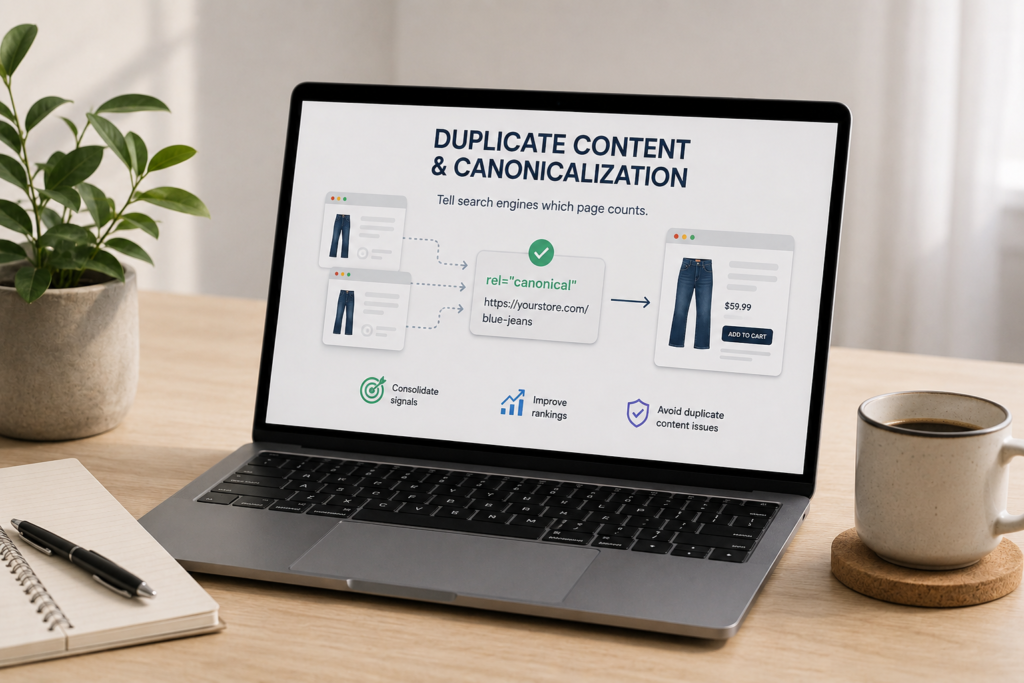
On an ecommerce site, duplicate content isn’t a mistake you make, it’s a condition you manage. Variants, filters, sort options, and tracking parameters spawn near-identical URLs by design. Canonicalization is how you tell search engines which one counts. Here’s how to do it right, and why Google sometimes ignores you.
On this page
1) Where ecommerce duplicates come from
You can’t fix duplication you haven’t mapped. On a typical store, near-identical URLs come from a handful of predictable sources:
Duplicate content across the web is enormous (by common estimates, close to a third of all content), so search engines expect it. The job isn’t to eliminate every duplicate, it’s to point clearly at the version that should rank.
2) A canonical is a hint, not a command
This is the single most important thing to understand, and the reason so many implementations fail. The canonical tag is a strong signal, not a directive. Google weighs it against your other signals, internal links, the sitemap, redirects, and how similar the pages actually are, then chooses its own canonical, which may not be the one you declared. So if you canonicalize /blue-dress/ to /dress/ but most of your internal links, breadcrumbs, and sitemap entries point to /blue-dress/?color=blue, Google may decide the parameter URL is the real preference and ignore your tag. Installing a canonical and walking away is the classic mistake. The tag only works when the rest of your signals agree with it, which is section five.
3) Canonical vs 301 vs noindex
Three tools solve related but different problems, and confusing them causes errors that take months to find. Pick by asking: does the URL need to stay live for users, and should it rank?
Tool
Use it when
Canonical tag
The URL must stay accessible to users (a variant someone reached from an ad, a parameter URL), but you want the ranking signals to consolidate on another page.
301 redirect
The URL is gone or has permanently moved. It transfers authority to the target. Use for http-to-https, URL structure changes, and discontinued products.
Noindex
The URL should stay live and crawlable but must not appear in results, like cart, checkout, order-confirmation, and internal search pages.
4) The ecommerce canonical playbook
Here’s how to apply canonicalization to each common store scenario.
<link rel="canonical" href="https://example.com/dress" />
5) Make your signals agree
A canonical tag is only as strong as the signals around it. Google cross-checks, so everything has to point the same way:
When your links say one thing and your canonical tag says another, Google trusts the pattern of your links over the tag. Consistency is what makes canonicalization actually work.
6) Common mistakes
7) Monitoring
Canonicalization needs watching, because it drifts as your store changes. In Search Console’s Indexing report, the “Duplicate without user-selected canonical” and “Google chose a different canonical than the user” rows tell you exactly where Google is disagreeing with you or guessing on its own. Check which URL Google actually selected as canonical, and crawl the site periodically with a tool like Screaming Frog to catch canonical conflicts before they affect rankings. Google can take a few weeks to reprocess after you fix things, so change deliberately and give it time.
One forward-looking note: AI answer engines don’t honor canonical tags the way Google’s index does, so scattered duplicates can dilute which version an AI cites. That makes clean consolidation valuable for AI visibility too, not just traditional rankings.
8) Sources used
Source
What it supports
Google Search Central documentation
The canonical tag as a signal rather than a directive, and how Google selects a canonical from multiple signals.
Ecommerce canonical guides (Search Engine Land, GTECH, ighenatt, Cubikey, Similar.ai, 12AM Agency)
The duplicate-content sources, the canonical vs 301 vs noindex decision, the variant and multi-category playbook, and common mistakes.
Semrush study (via ighenatt)
Around 43% of European ecommerce sites having canonical errors affecting indexing. Directional.
Metaflow and Raven Tools (via panpan)
LLMs not honoring canonical tags, and the scale of duplicate content on the web. Directional.
FAQ: duplicate content and canonicalization
What causes duplicate content on ecommerce sites?
Mainly product variants (a URL per color and size), faceted navigation filters, sort orders, tracking and session parameters, the same product listed under multiple categories, and protocol or host inconsistencies (http versus https, www versus non-www, trailing slashes). These create near-identical URLs by design. The goal isn’t to remove them all but to point search engines at the version you want to rank.
Do canonical tags prevent a duplicate content penalty?
There isn’t a formal duplicate content penalty for this kind of internal duplication; the real problem is split ranking signals and wasted crawl budget. Canonical tags fix that by consolidating signals onto your preferred URL so one strong page ranks instead of several weak ones competing. They protect visibility rather than avoid a penalty.
What’s the difference between a canonical tag, a 301, and noindex?
A canonical tag keeps a URL live for users while consolidating its ranking signals onto another page, best for variants and parameter URLs. A 301 permanently redirects a URL that’s gone or moved and transfers its authority. Noindex keeps a URL live and crawlable but out of search results, for pages like cart and checkout. They solve different problems and aren’t interchangeable.
Should product variants have their own pages or be canonicalized?
It depends on demand. If a variant only changes an attribute like color and has no distinct search demand, canonicalize it to the parent product. If a variant has real search demand and warrants unique content and images, give it its own indexable page with a self-referencing canonical. Don’t half-index by giving a variant partial treatment; commit to consolidating or to a full standalone page.
Should every product page have a self-referencing canonical?
Yes. A self-referencing canonical on every product and category page is a baseline defensive practice. It tells Google your clean URL is the preferred version and protects you when marketing tools add tracking parameters or when scrapers and aggregators copy your pages. Most SEO plugins add these automatically when configured, and there’s essentially no downside.
Why is Google ignoring my canonical tag?
Because a canonical is a hint, not a command. Google validates it against your internal links, sitemap, and how similar the pages actually are, and if those contradict your tag it picks its own canonical. The usual cause is internal links, breadcrumbs, or the sitemap pointing to a different URL than the one you declared. Align every signal on the canonical URL.
Where to go next
Duplicate content is built into ecommerce, so canonicalization is ongoing maintenance, not a one-time fix. Self-reference every page, consolidate variants and parameters onto clean URLs, choose canonical, 301, or noindex deliberately, make every other signal agree, and monitor what Google actually selects.
From here, control the filters that create most of the duplicates in faceted navigation SEO, handle multi-page categories in pagination and site architecture, keep stock changes from leaving orphans in out-of-stock and discontinued products, or step back to the full ecommerce SEO guide.
Duplicate Content and Canonicalization in Ecommerce
Ecommerce SEO › Technical SEO
By Rahul Saini, Author at Search Counsel Co. Last updated [Month] 2026. Part of our ecommerce SEO guide.
Featured answer: what is canonicalization? Canonicalization is telling search engines which URL is the preferred version when several URLs show the same or similar content. You do it mainly with the canonical tag, a link element in the page head pointing to the master URL. It consolidates ranking signals onto one page, prevents your own URLs from competing, and saves crawl budget.
Why this matters so much for stores. A single product in three colors and two sizes can generate six near-identical URLs before you even add category filters, sort options, or tracking tags. Left unmanaged, those duplicates split your ranking signals so none of the versions rank well. Get canonicalization right and the authority consolidates onto one strong page. A Semrush study of European stores found around 43% had canonical errors affecting what Google indexed, so this is not a rare edge case.
The tag itself, in the page head: