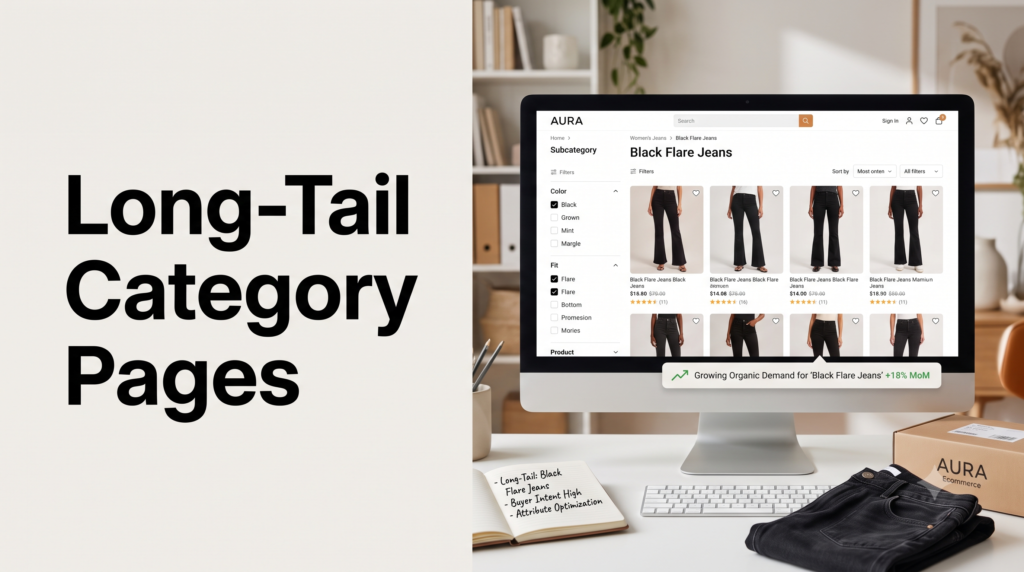
Ecommerce SEO › Category Page SEO
Subcategory and Attribute Pages: Capturing Long-Tail Buyer Intent
Your filters are hiding revenue. When shoppers search “black flare jeans” or “standing desk under 500,” they’re telling you exactly what they want, and a raw filter URL won’t win that search. A dedicated subcategory page will. Here’s how to find those searches and build the pages that capture them, without flooding your site with thin ones.
By Rahul Saini, Author at Search Counsel Co. Last updated [Month] 2026. Builds on category page SEO.
Featured answer: when should a filter become its own page?
Turn a filter combination into a dedicated subcategory page when it has three things: real search demand (people search that exact phrase), enough products to fill it, and distinct buyer intent. “Waterproof women’s hiking boots” clears that bar and deserves an indexable page with its own content. A one-off price filter does not, and should stay a filter.
The idea in one line. A filtered view and a subcategory page can show the same products, but only one of them ranks. The filtered view is a temporary result with no unique content; the subcategory page is a real, optimized page built to win a specific long-tail search. This post is about knowing which filters deserve that promotion, and building them right.
On this page
1) Why long-tail attribute pages pay off
Broad category pages win the head terms. Subcategory and attribute pages win everything narrower, and that “everything narrower” is where a surprising amount of revenue lives.
Three reasons they’re worth building. First, volume adds up. Long-tail queries make up the majority of all searches, roughly 70% by common estimates, so the specific phrases spread across thousands of attribute combinations often outweigh the few head terms. Second, intent is sharper. Someone searching “reclining sofa” or “black flare jeans” has already narrowed their choice, so they’re closer to buying than someone searching “sofas” or “jeans.” One analysis cited by Semrush found long-tail terms converting far better than short-tail ones, on the order of three times better. Third, competition is thinner. Big brands fight over the head terms; the granular attribute searches are often wide open, which makes them realistic wins for a smaller store.
And the demand is real even when it looks tiny. “Modern square dining tables” might pull only around twenty searches a month, and “modern square dining tables for eight” around fifty, but multiply small pockets like that across a full catalog and you’ve got a meaningful traffic channel that competitors are ignoring.
2) The decision: filter or page?
Not every filter should become a page. Most shouldn’t. Turning every filter combination into an indexable URL is how stores drown in thin, near-duplicate pages. The skill is promoting only the filters that earn it. Run each candidate through three tests.
| Make it a subcategory page when… | Keep it a filter when… |
|---|---|
| People search that exact phrase (“waterproof hiking boots”). | There’s no real search demand for the combination. |
| Enough products fill it to be truly useful. | It returns a handful of products or sometimes none. |
| The intent is distinct from the parent category. | It’s a sort order, price slider, or multi-select combo. |
Attribute filters like size, color, style, and material are the usual promotion candidates, because they mirror how people search (“style” filters like farmhouse or mid-century are gold for furniture). Sort orders (“price low to high”), price sliders, and stacked multi-select filters almost never have search demand and should stay as filters. The technical side, how you actually stop the un-promoted filters from being crawled and indexed, lives in faceted navigation SEO. This post is about choosing and building the ones that graduate.
3) How to find the opportunities
You’re looking for attribute-level phrases with demand you’re not yet serving. Four places to look:
- Keyword research on attribute terms. Take a category and append attributes: material, color, fit, size, use case, price band. Check volume for the combinations in your keyword tool. Our ecommerce keyword research guide covers the method.
- Your own filters. The attributes shoppers filter by on your site are usually the same ones they search. If “waterproof” is a popular filter, “waterproof [category]” is probably a searched phrase.
- Search Console. Look for queries where you already get impressions but rank poorly. Those are searches you’re relevant for but have no dedicated page to win.
- Competitor navigation. Browse a competitor’s menu and subcategory structure. Where they’ve built a page for an attribute you haven’t, that’s a gap to close.
The output is a prioritized list: attribute pages ranked by demand and product count, so you build the highest-value ones first.
4) How to build the page properly
The mistake stores make is trying to rank the raw filter URL (something like /jeans?fit=flare&color=black). It has no unique content, no real title, and no chance against a proper page. Instead, build a genuine subcategory page. A dedicated “/jeans/black-flare/” page with unique copy will always beat a parameter string with none.
A promoted attribute page needs the same ingredients as any category page:
- A clean, readable URL that reflects the hierarchy, like /jeans/black-flare/ rather than a parameter jumble.
- A unique H1 and title tag built around the long-tail phrase (“Black Flare Jeans”).
- Unique content, a short intro plus a supporting block, following the same approach as any category page. See category page content and structure for the copywriting.
- The right product set. The neat trick: build the subcategory by inheriting the parent category’s products filtered by the extra attribute. A “high-rise skinny jeans” page pulls the “high-rise jeans” set, then shows only the ones tagged “skinny.” You get the page without merchandising it by hand.
- Internal links in and out, so it isn’t an orphan (more on that below).
Done this way, the page is a real landing page a searcher would be happy to arrive on, which is exactly what earns the ranking.
5) Structuring your taxonomy
Think of your architecture as a tree: broad category, then subcategory, then attribute page. “Furniture” leads to “dining tables,” which leads to “square dining tables,” which leads to “modern square dining tables.” Each level targets a tighter search and passes authority down to the next.
How deep should you go? As deep as real demand supports, and no deeper. If “modern square dining tables for eight” gets searches and you have the products, build it. If a combination has no demand or only two products, stop. These deeper attribute pages don’t need to sit in your main navigation. They can live further down and still get found through subcategory links, buying guides, and internal links from their parent, which keeps your main menu clean while still capturing the long tail.
6) Linking to your attribute pages
A subcategory page you never link to is a page Google struggles to find and shoppers never reach. Because these pages often aren’t in the main menu, deliberate internal linking matters more here than anywhere.
- Link from the parent category. In the supporting content below a category’s product grid, link to its key subcategories with descriptive anchors (“shop black flare jeans”). This both helps shoppers and passes authority.
- Add a subcategory or “browse by” block. A visible set of links to popular attribute pages near the top or bottom of the parent category gives crawlers a clean path in.
- Link from relevant guides. A “how to choose running shoes” guide can link to “trail running shoes” and “waterproof running shoes.” Point your buying guides at these pages.
- Use descriptive anchor text, never “click here,” so each link reinforces what the destination page is about.
7) Where to stop
The whole strategy backfires if you overbuild. Create too many thin attribute pages and you get index bloat: a pile of near-duplicate, low-value pages that dilute your authority and make it harder for Google to tell which pages matter. Stop when any of these is true.
- No demand. Nobody searches the phrase. Keep it a filter.
- Too few products. A page with three items is thin and disappoints shoppers. Wait until the range justifies it.
- Overlap. Two attribute pages targeting almost the same term compete with each other. Build one, not both.
- Empty results. A filtered view that can return zero products should never be an indexable page; those should return a 404 so search engines treat them as dead ends.
Everything you choose not to promote still needs handling so it doesn’t eat your crawl budget as clutter. That control, canonical tags, noindex, and how to keep filters out of the index, is the job of our canonicalization guide. Think of these two posts as partners: this one decides what to build, that one keeps the rest tidy.
Free resource
Find your subcategory gaps
Our Ecommerce SEO Audit Checklist includes a step for auditing which attribute pages you’re missing and which filters are leaking crawl budget. Prefer it handled for you? See our ecommerce SEO service.
8) Common mistakes
- Trying to rank raw filter URLs. Parameter strings with no unique content won’t compete. Build real pages.
- Promoting every filter. Indexing all combinations creates index bloat that hurts your whole site. Promote only those that pass the three tests.
- Thin pages. Attribute pages with a couple of products and no copy are dead weight. Give them a real product set and unique content.
- Orphaned subcategories. Building the page but never linking to it means it rarely gets found. Wire in internal links.
- Duplicate intent. Two near-identical attribute pages split your ranking signals. Consolidate.
- Ignoring the technical side. Promoting pages without controlling the un-promoted filters leaves the crawl-budget problem unsolved. Pair this with the faceted-navigation fixes.
9) Sources used
| Source | What it supports |
|---|---|
| Faceted-navigation and category guides (Ahrefs, Go Fish Digital, Born Digital, Oncrawl, Quattr) | The dedicated-landing-page pattern, the demand-plus-product-count-plus-intent test, and the inherit-the-filtered-set build method. |
| Moz long-tail research | Long-tail queries making up the majority of all searches. Directional. |
| Embryo analysis (via Semrush) | Long-tail terms converting substantially better than short-tail, on the order of three times. Directional. |
| Ahrefs keyword data (via The Gray Company) | Small but real demand for granular attribute phrases like “modern square dining tables.” Illustrative. |
| Oncrawl faceted-navigation guidance | Empty filtered results returning a 404, and choosing filters that match real user behavior. |
FAQ: subcategory and attribute pages
What is a subcategory page?
A subcategory page is a category page one level deeper than a broad category, targeting a narrower group of products, like “trail running shoes” under “running shoes,” or an attribute page like “black flare jeans.” It targets a more specific, higher-intent search than its parent, and passes authority down to the products it lists.
Should I turn filters into indexable pages?
Only the ones that earn it. Promote a filter to a real subcategory page when the combination has genuine search demand, enough products to be useful, and distinct buyer intent. Keep everything else, sort orders, price sliders, and low-demand combinations, as filters that aren’t indexed. Promoting every filter creates index bloat that damages your whole site.
How is a subcategory page different from a filtered URL?
They can show the same products, but a filtered URL is a temporary result with no unique title, content, or optimization, while a subcategory page is a real page with a clean URL, unique H1, and original content built to rank for a specific phrase. Search engines can rank the subcategory page; they usually won’t rank a bare filter URL, and you don’t want them to.
How many products does a subcategory page need?
There’s no fixed number, but enough to properly satisfy the search and not look thin. A “waterproof hiking boots” page with two products disappoints a shopper and signals low quality to search engines. If the range is too small, wait until your catalog supports it, or keep it as a filter for now. Never index a combination that can return zero products.
Do subcategory pages need to be in my main navigation?
No. Deeper attribute pages can live below the main menu and still get found through links from their parent category, subcategory blocks, buying guides, and internal links. That keeps your main navigation clean while still capturing long-tail demand. What they do need is deliberate internal links, since they won’t get the equity a main-nav link provides.
Won’t creating lots of subcategory pages cause duplicate content?
It can, if you overbuild or let filters generate them automatically. The safeguards are promoting only high-demand combinations, giving each page unique content, and controlling the un-promoted filters with canonical tags and noindex so they stay out of the index. The technical control side is covered in our faceted navigation and canonicalization guides.
Where to go next
Subcategory and attribute pages are how you turn “everything narrower than the head term” into traffic. Find the attribute searches with real demand, promote only those to proper pages with unique content and clean URLs, link them in deliberately, and stop before you create thin duplicates. Paired with the technical controls, it’s one of the most scalable wins in ecommerce SEO.
That completes the category-page set. Revisit the fundamentals in category page SEO, the copywriting in category page content and structure, or handle the structural side in pagination and site architecture. Step back up any time to the full ecommerce SEO guide.
Editorial note: This guide is for general marketing education. Search demand, conversion figures, and indexing behavior change over time, and several figures here are directional or vary by source. Verify current data before building pages at scale.