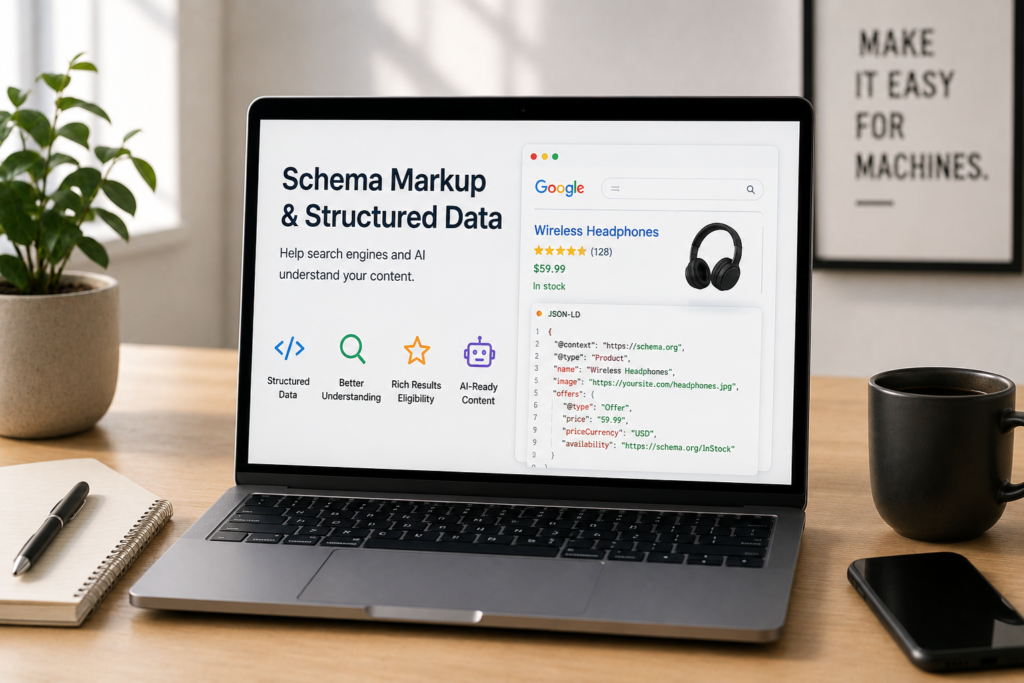
Technical SEO Guide
Schema Markup and Structured Data: A 2026 SEO Guide
Schema markup describes your content in a language machines can read, so search engines and AI don’t have to guess what your page means. It won’t rank thin content, and some of the old advice about it is now out of date. Here’s what still works, and where its value has moved.
By Rahul Saini, Author at Search Counsel Co. Last updated [JULY] 2026.
Featured answer: what is schema markup?
Schema markup, or structured data, is code you add to a page, usually in JSON-LD, that describes your content in a way machines understand: this is a product, this is its price, this is the author. It doesn’t change how the page looks and it isn’t a ranking factor. What it does is make your content eligible for rich results and easier for search engines and AI to interpret.
Two things most guides get wrong. First, schema is not a ranking factor and never was; it won’t lift thin content. Second, the classic advice to add FAQ and HowTo schema for those eye-catching search dropdowns is out of date. Google deprecated HowTo rich results in 2023 and removed FAQ rich results entirely in May 2026. The markup still validates and won’t hurt you, but the search feature is gone. The real value of schema has shifted from decorating your listing to helping machines, including AI answer engines, understand and trust your content.
The Format
JSON-LD
A script block Google recommends over older inline formats.
The Payoff
Rich results
Stars, prices, and more, for the types Google still supports.
The Catch
Not ranking
It aids understanding and eligibility, not your position directly.
The AI Edge
Machine-clear
Labels your facts and identity so AI can parse them with confidence.
Jump to what you need
Article note: Written by Rahul Saini at Search Counsel Co. Grounded in Google’s structured data documentation and Schema.org. Rich result support changes often, so verify current support against Google’s documentation before you build.
1) What schema markup is and how it works
Four terms get used interchangeably here, and keeping them straight makes everything clearer. Structured data is the broad idea: information organized so machines can read it without guessing. Schema.org is the shared vocabulary that defines the labels, launched in 2011 by Google, Bing, Yahoo, and Yandex, and now covering over 800 types. JSON-LD is the format most people use to write it. And schema markup is the actual code you add to a page.
What that code does is label the meaning behind your words. On a product page, a person sees “£89.99,” “In stock,” and “4.8 from 214 reviews” and understands them instantly. A machine reading the raw HTML sees three strings of text. Schema markup tells it explicitly: this is the price, this is the availability, this is the aggregate rating. You write it once in Schema.org’s vocabulary, and every major search engine, plus a growing number of AI systems, can read it. Google recommends the JSON-LD format, which sits in a script block separate from your visible content, making it far easier to maintain than the older inline formats.
| Format | What it is | Use it? |
|---|---|---|
| JSON-LD | A script block, separate from your visible HTML. | Yes. Google’s recommended format. |
| Microdata | Attributes added inline to your HTML tags. | Legacy. Harder to maintain. |
| RDFa | Another inline attribute format. | Legacy. Rarely used now. |
2) What schema does for SEO
The headline benefit has always been rich results: the enhanced listings that show extra detail like star ratings, prices, breadcrumbs, recipe times, or event dates. A plain result shows a title, URL, and description. A rich result stands out and often earns more clicks, which is the practical SEO payoff, and it sits alongside the other prominent listings covered in our guide to featured snippets and AI Overviews. Two honest caveats come with that. Schema makes a page eligible for a rich result; Google still decides whether to show one. And valid structured data is not a ranking factor, so it won’t move you up the results on its own. It helps Google understand your page, and it can win you a more prominent listing, but the ranking still rests on your content and links.
There’s a second, quieter benefit that matters more every year: entity understanding. Markup like Organization and Person, with properties that link to your other official profiles, helps Google connect your site to a known entity in its Knowledge Graph. That’s how a search engine learns who you are with confidence rather than inference, which feeds into how trustworthy it considers you.
3) Which schema types actually work in 2026
Schema.org has hundreds of types, but only a fraction produce anything visible in Google, and that set has been shrinking as Google retires features that were underused or abused. This table is the part to get right, because a lot of older advice points at features that no longer exist:
| Schema type | Rich result in Google? | Notes |
|---|---|---|
| Product, Review, AggregateRating | Yes | Prices, availability, star ratings. Increasingly central to AI shopping. |
| Article, BlogPosting | Yes | Author and date help signal authorship and freshness. |
| BreadcrumbList | Yes | Shows your site hierarchy in the listing. |
| Recipe, Event, Video, JobPosting, LocalBusiness | Yes | Strong, intent-specific features: cook time, dates, salary, map details. |
| Organization, Person | No visible feature, but valuable | Establishes who you are for the Knowledge Graph and AI systems. |
| FAQPage | No (removed May 2026) | Still valid markup and may help AI parse Q&A, but no search feature. |
| HowTo | No (removed 2023) | Same story: valid type, no rich result. |
The FAQ change is the big one, because FAQ schema was everywhere. Google restricted it to government and health sites in 2023, then removed it for everyone in May 2026. If you have FAQ or HowTo markup on your site, you don’t need to tear it out; Google has confirmed unused structured data causes no harm, and it may still help AI systems read your content. Just don’t add these types expecting a search feature, and don’t pad pages with fake questions to game one. That approach was already being demoted before the feature disappeared.
4) How to add schema, and what not to do
The mechanics are simple. You add a JSON-LD script block to the page with the type and its properties. Here’s an Organization block, a good site-wide starting point and one of the most useful for AI:
{
“@context”: “https://schema.org”,
“@type”: “Organization”,
“name”: “Your Company”,
“url”: “https://www.example.com”,
“logo”: “https://www.example.com/logo.png”,
“sameAs”: [
“https://www.linkedin.com/company/yourcompany”,
“https://twitter.com/yourcompany”
]
}
</script>
Beyond the syntax, a few rules keep schema working for you rather than against you:
- Only mark up what’s on the page, and what’s true. Structured data must reflect the visible content. Marking up information that isn’t there, or faking reviews, is a spam violation that can trigger a manual action.
- Start with the types that fit your content. Organization site-wide, plus Article or BlogPosting for a blog, Product for a store, LocalBusiness for a local site, and BreadcrumbList everywhere. Add a nested Person for the author.
- Complete the recommended properties, not just the required ones. Sparse markup earns little. A Product without offers or an Article without an author won’t produce a rich result, and thin schema gives AI systems little to work with.
- Keep it in sync. Stale markup, an old modified date, or a price that no longer matches the page erodes trust. This matters most on product pages, where data changes often.
- Put it in the raw HTML where you can. Schema injected by JavaScript can be missed by AI crawlers that don’t render it, and Google reads it later. Our guide to Google’s December 2025 rendering update covers why raw HTML is safer.
- Avoid deprecated types as a display tactic. FAQ, HowTo, and a handful of others no longer produce rich results, so don’t build a strategy around them.
On WordPress, plugins like Yoast or RankMath generate much of this automatically, so the job is often to check and complete their output rather than write it by hand.
5) How to test your schema
Always validate before you publish and monitor after. Three tools cover it:
- Google’s Rich Results Test. Enter a URL or paste code to see whether the page is eligible for a rich result and to catch errors. Note that support for retired types like FAQ is being removed from it.
- The Schema.org Markup Validator. Checks your markup against the Schema.org vocabulary itself, which is useful for types that don’t produce a Google rich result but still need to be correct.
- Search Console’s Enhancements reports. After Google crawls your pages, these show the structured data it detected, along with errors and warnings to fix. This is your ongoing monitor, since a page that validated months ago can break.
6) Schema and AI: where the value moved
This is the part worth understanding clearly, because it’s where the hype and the backlash both get it wrong. Search has moved from ten blue links, to rich results, to AI-generated answers with cited sources. Each step rewards explicit structure over implicit meaning, and the current step asks a new question: can a machine parse your page with enough confidence to cite it? Structured data is one of the cleanest ways to answer yes, because it labels your facts and your identity instead of leaving an AI to infer them from prose. We go deeper on that in our guide to schema for AI citations.
Both Google and Microsoft have said structured data helps their AI systems understand and verify content, and that extends across the answer engines, Bing’s Copilot, Perplexity, and others, that all read Schema.org markup. But keep two honest points in view. Google has stated that no special schema is required to appear in its AI features, and studies on whether schema drives AI citations are mixed, with clear on-page content structure doing at least as much measurable work. So schema is not a switch that turns on AI visibility. What it does is reduce ambiguity: when a system can plainly verify what your content is, who you are, and why you’re credible, it can cite you with more confidence. That’s why Organization and Person markup, the schema that disambiguates your identity, is arguably the most valuable of all in the AI era, even though it produces no visible search feature. Structured data is one layer of making your whole site legible to machines, which is the subject of our guide to machine-first architecture, and it sits alongside the broader tactics in our AI search optimization guide.
Free tool
Check your structured data and AI readiness
Our Crawlability and AI-Readiness Checker looks at whether your key facts and identity are exposed in machine-readable form, including schema in your raw HTML. For a full structured-data audit and entity setup, our technical SEO and site audit service runs it through our [FRAMEWORK NAME] process.
7) Sources used for this guide
This guide is based on Google’s and Schema.org’s documentation, plus confirmed statements from Google and Microsoft on structured data and AI.
| Source | What it supports |
|---|---|
| Google Search Central, structured data documentation and changelog | That schema is not a ranking factor, which types produce rich results, and the FAQ and HowTo deprecations. |
| Schema.org | The shared vocabulary, its history, and the types and properties available. |
| Google and Microsoft statements on structured data and AI | That structured data helps their AI systems understand and cite content, while no special schema is required. |
| Industry reporting on FAQ rich result removal (May 2026) | The timeline and practical effect of the FAQ deprecation, and that existing markup is safe to keep. |
FAQ: schema markup and structured data
Is schema markup a ranking factor?
No. Google has been clear that structured data is not a direct ranking factor. What it does is make eligible pages qualify for rich results and help search engines and AI understand your content. Those can lift click-through rates and visibility, but your ranking still depends on content quality, relevance, and links, not on the presence of schema. Our guide to Google ranking factors covers what does move the needle.
Does FAQ schema still work in 2026?
Not for rich results. Google removed FAQ rich results from Search on May 7, 2026, ending a feature it had already restricted to government and health sites back in 2023. FAQPage is still a valid Schema.org type and won’t harm your site, and it may help AI systems parse your Q&A, but it no longer produces a visible search feature.
What is JSON-LD?
JSON-LD is the format Google recommends for structured data. It’s a block of code in a script tag, kept separate from your visible HTML, which describes your content using the Schema.org vocabulary. Because it’s separate from the page’s markup, it’s much easier to add and maintain than the older inline formats, Microdata and RDFa.
Which schema types should I use?
Start with the ones that fit your content and still produce results: Organization site-wide, Article or BlogPosting for a blog, Product with Review for a store, LocalBusiness for a local site, and BreadcrumbList everywhere. Add Person for authors. Organization schema is especially worth doing because it establishes your identity for both the Knowledge Graph and AI.
Does schema markup help with AI search?
It helps, but it isn’t a magic switch. Google and Microsoft have confirmed structured data helps their AI systems understand and verify content, and answer engines read Schema.org markup. But Google says no special schema is required to appear in AI features, and evidence on citations is mixed. Schema’s real job is reducing ambiguity about what your content is and who you are, which is one input into how AI engines choose their sources.
Will removing my FAQ schema hurt my rankings?
No. Because FAQ rich results no longer appear, removing the markup has no effect on rankings, and keeping it is also fine since Google confirms unused structured data causes no problems. If you keep it, do so because the Q&A content helps users and possibly AI, not because you expect a search feature from it.
Conclusion: describe your content for machines
Schema markup is one of the clearest ways to tell search engines and AI what your page actually means. It won’t rank thin content and it isn’t a ranking factor, but it makes eligible pages qualify for richer listings and, increasingly, helps machines parse your facts and identity with confidence. Use JSON-LD, mark up only what’s real and visible, focus on the types that still work, and lean into Organization and Person schema to establish who you are. The old game of chasing FAQ and HowTo dropdowns is over; the new one, being clearly understood by every system that reads the web, is more valuable.
Schema is the first piece of this sub-pillar on making your site ready for AI crawlers. The next pieces are controlling those crawlers with robots.txt for the AI era and the bigger picture of machine-first architecture, all under the technical SEO pillar.
Editorial note: This guide is for general marketing education. Google changes which structured data types produce rich results fairly often, so verify current support against Google’s documentation before implementing, and validate your markup after any change.