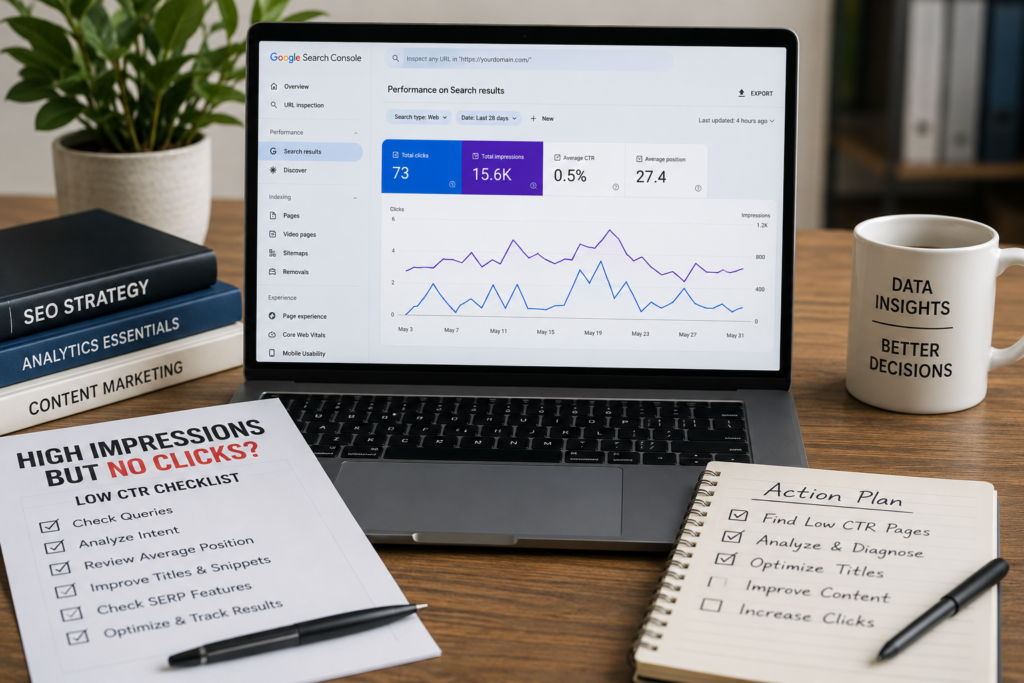
Google Search Console CTR Guide
Pages With Impressions But No Clicks: How to Find and Fix Low CTR Pages in GSC
Pages with impressions but no clicks means Google is showing your page in search results, but users are not clicking it. This can happen because the page ranks too low, the title tag is weak, the meta description does not match intent, SERP features take attention, AI answers reduce the need to click, or the page is showing for the wrong query.
GSC Signal
High impressions
Google is showing your page, but visibility alone does not mean the page is earning traffic.
Main Problem
Low clicks
Users may be seeing another result, SERP feature, or answer as more useful than your page.
First Check
Position + query
Do not edit the title before checking average position, query intent, and live SERP layout.
Best Fix
Diagnose first
Low CTR may need better titles, content updates, internal links, technical SEO, or no action.
Quick answer
Pages with impressions but no clicks in Google Search Console usually mean one thing: Google is giving your page visibility, but the result is not winning the click. The reason may be low ranking position, weak title text, poor snippet, wrong search intent, irrelevant query impressions, SERP features, or zero-click search behavior.
| If you see this in GSC | It usually means | What to check first |
|---|---|---|
| High impressions, 0 clicks, position 40+ | Your page is showing too low to get traffic. | Content depth, internal links, topical relevance. |
| High impressions, low clicks, position 5–10 | Your page is visible but not attractive enough. | Title tag, meta description, search intent, SERP features. |
| High impressions, low clicks, position 1–3 | The SERP or snippet may be reducing clicks. | AI Overview, ads, featured snippet, PAA, title link, meta snippet. |
New to Search Console? Start with our Google Search Console SEO guide first.
Pages with impressions but no clicks can feel confusing. A business owner opens Google Search Console, sees that Google is showing a page hundreds or thousands of times, but the clicks are almost zero. The first reaction is usually simple: “Why is nobody clicking?”
That is the right question, but the answer is not always the same. Sometimes the page ranks too low. Sometimes the title tag is not clear enough. Sometimes the meta description sounds generic. Sometimes the page is ranking for the wrong query. Sometimes the search result page is crowded with AI Overviews, ads, featured snippets, local packs, or People Also Ask results.
This guide explains how to find pages with impressions but no clicks in Google Search Console, how to diagnose the real cause, and how to fix low CTR pages without making random changes that could hurt the wrong query.
Important note:
Do not rewrite a title tag after checking only one query. One page can rank for many searches. Always check the page, queries, average position, CTR, device, country, and live SERP before making updates.
Related service: If your Search Console data shows confusing CTR patterns, SearchCounselCo can help with SEO consulting services and focused Search Console diagnosis.
Jump to what you need
1. What impressions but no clicks means
3. Why pages get impressions but no clicks
4. How to find these pages in GSC
5. SearchCounselCo low CTR audit framework
7. How to fix high impressions and low clicks
8. Better title and meta examples
10. When low CTR is not a problem
11. AI Overviews and SERP features
Article note: Written by SearchCounselCo Editorial Team. Last updated June 2026. Built for business owners and SEO teams who want to use Google Search Console data to improve organic click-through rate.
1) What does impressions but no clicks mean?
Pages with impressions but no clicks means your page appeared in Google Search results, but users did not click your result. In Google Search Console, the Performance report shows clicks, impressions, CTR, average position, queries, pages, devices, countries, search appearance, and date ranges.
An impression does not mean every user clearly saw your result. Your page may have appeared low on the page, below ads, below an AI answer, below a featured snippet, below a local pack, or under other search features. That is why impressions need to be reviewed together with average position and CTR.
Simple answer: Impressions show that Google is showing your page. No clicks means the result did not win the click. The next step is finding out whether the issue is ranking position, title tag, meta description, search intent, SERP features, AI answers, or irrelevant query impressions.
2) Is it bad to have impressions but no clicks?
Not always. A page with impressions but no clicks is not automatically a bad page. It depends on the query, average position, search intent, and how valuable the impressions are.
For example, if a page gets impressions from an irrelevant query, no clicks may not matter. If a page ranks around position 45, no clicks is normal because most users will not scroll that far. But if a service page ranks in position 4 and still gets almost no clicks, that deserves attention.
| Situation | Is it a problem? | Why |
|---|---|---|
| High impressions, position 40+ | Not a CTR problem first | The page is barely visible. Improve ranking before focusing on title and meta. |
| High impressions, position 5–10 | Usually yes | The page is visible enough that title, snippet, and intent may affect clicks. |
| High impressions, position 1–3, low CTR | Yes, but diagnose first | SERP features, AI answers, ads, or weak snippets may be reducing clicks. |
| Impressions from irrelevant queries | Maybe not | The searcher may not be your target audience. |
3) Why pages get impressions but no clicks
A page can get impressions but no clicks for several reasons. The worst mistake is assuming the fix is always “rewrite the title.” Sometimes that helps. Sometimes it does nothing because the real issue is ranking position, intent mismatch, or the search result page itself.
Your page ranks too low
If the average position is 30, 40, or 60, users may never scroll far enough to see your result clearly. In that case, low clicks are expected. The first fix is not title tag testing. The better first step is improving relevance, content depth, internal links, and overall page quality.
Your title tag does not match the query
Google says title links are often the main piece of information people use to decide which search result to click. If your title is vague, too generic, too long, or does not match the query, users may choose another result.
Your meta description is weak or too generic
Google may use page content or the meta description to create snippets. Its guidance on meta descriptions explains that good descriptions should give users a relevant summary of the page.
Your page is showing for the wrong query
Sometimes Search Console shows impressions from queries that are not a clean match for the page. That does not always mean the page is bad. It may mean Google is testing the page for broader searches.
Before editing the page, check all queries. If most impressions come from irrelevant searches, low CTR may not be worth fixing. If the page is attracting wrong-fit impressions repeatedly, the content may need clearer targeting.
This is where content strategy services can help align pages with the right search intent and topic cluster.
SERP features are taking the click
Even if your page ranks well, clicks may be lower when the SERP includes ads, AI Overviews, featured snippets, People Also Ask, video carousels, image packs, shopping results, or local packs.
The user got the answer without clicking
Some searches are zero-click by nature. If someone searches a simple definition, phone number, address, calculation, or quick answer, they may not need to click any website.
4) How to find pages with impressions but no clicks in Google Search Console
The best way to find low CTR pages is to start with the Performance report and then move from page-level data to query-level data.
Step 1: Open the Performance report
Open Google Search Console and go to Performance. This report shows how the site performs in Google Search.
Step 2: Turn on clicks, impressions, CTR, and average position
Make sure all four metrics are active. You need clicks and impressions to find the problem, but CTR and average position help explain the reason.
Step 3: Open the Pages tab
The Pages tab shows which URLs are getting impressions and clicks.
Step 4: Sort by impressions
Sort pages by impressions from highest to lowest. This helps you find pages Google is showing most often.
Step 5: Find pages with low clicks or low CTR
Look for pages with strong impressions but weak clicks. Do not stop there. A page with low CTR may rank too low, show for irrelevant queries, or appear in a crowded SERP.
Step 6: Click the page and review queries
Click the page URL, then open the Queries tab. This shows the searches that triggered impressions for that page. This step matters because one page can rank for many queries.
Step 7: Compare device and country data
CTR may be different on mobile and desktop. It may also vary by country. A title that looks fine on desktop may be cut off on mobile.
Step 8: Check the live SERP before editing
Search the main query in Google and review what appears. Look for ads, AI Overviews, featured snippets, People Also Ask, local packs, videos, images, and competitor title styles.

5) SearchCounselCo’s low CTR audit framework
Do not treat every low CTR page the same. A page ranking in position 48 needs a different fix than a page ranking in position 3. SearchCounselCo uses this simple audit framework to decide what should happen first.
| Audit step | Question to answer | Why it matters |
|---|---|---|
| 1. Visibility check | Is the page ranking high enough to earn clicks? | If position is too low, CTR is not the first problem. |
| 2. Query check | Are the impressions coming from relevant searches? | Irrelevant impressions can make CTR look worse than it is. |
| 3. Snippet check | Does the title and snippet give users a reason to click? | Weak title links and generic snippets can lower clicks. |
| 4. SERP check | What appears above or around your result? | AI answers, ads, and SERP features can reduce organic clicks. |
| 5. Page match check | Does the page fully satisfy the query? | A mismatch may need content updates, not only meta changes. |
| 6. Retest check | Did clicks improve after enough data? | SEO changes need tracking before you judge success. |
6) The low CTR decision table: what to fix first
Google’s Search Console bubble chart guide shows why CTR should be judged together with average position, clicks, device, and query performance. That same idea is useful when diagnosing pages with impressions but no clicks.
| GSC pattern | What it usually means | First action |
|---|---|---|
| High impressions, 0 clicks, position 40+ | The page is barely visible. | Improve content relevance, internal links, and topical depth first. |
| High impressions, low clicks, position 5–10 | The page is visible but not earning enough clicks. | Improve title, meta description, and search intent match. |
| High impressions, low clicks, position 1–3 | SERP layout or snippet issue may be reducing clicks. | Check ads, AI Overview, PAA, snippets, and competitor titles. |
| Clicks down, impressions stable | CTR problem is likely. | Compare title, meta, SERP layout, and search appearance. |
| Clicks down, impressions down | Visibility may be dropping. | Check ranking, indexing, content freshness, and competitors. |
| Mobile CTR low, desktop CTR normal | Device-specific issue. | Review mobile SERP, title length, page speed, and mobile UX. |
7) How to fix pages with high impressions and low clicks
Once you know the likely cause, you can fix the right thing. Do not apply every fix to every page. Start with the pattern you found in Google Search Console.
Rewrite the title tag
A good title tag should be specific, clear, and close to the searcher’s intent. It should not be stuffed with keywords or written like a vague page label.
Low CTR often connects to titles, meta descriptions, headings, and page clarity. That is where on-page SEO services can help.
Improve the meta description
The meta description should summarize the page in a way that makes the right user want to click. Avoid vague descriptions like “Learn more about our services.” Instead, explain the problem solved, the audience, and the benefit.
Match search intent better
Sometimes the title and meta are fine, but the page itself does not match the query well enough. If the page appears for a query about “how to fix low CTR,” but the page only explains what CTR means, users may not click or may leave quickly.
Add missing sections from real queries
If the Queries tab shows repeated themes, add sections that answer them. For example, if a page gets impressions for “high impressions low CTR,” add a section explaining what high impressions and low CTR means, why it happens, and what to check first.
Improve internal links
Some pages do not get clicks because they rank too low. Internal links can help Google understand the page’s importance and topic relationship. Add links from relevant guides, service pages, and blog posts using natural anchor text.
If low clicks are connected to weak ranking, internal links may be more useful than changing the title. A technical SEO audit can help identify crawl issues, indexation problems, and internal link gaps.
Add FAQ sections
FAQ sections can help answer long-tail queries and improve topical coverage. Use real Search Console queries to build the FAQ. Do not add random questions. Add questions people are actually searching.
8) Better title and meta examples for low CTR pages
Many low CTR pages need clearer title and meta text. But the best rewrite depends on the page type. A service page, blog post, and local page should not use the same style.
| Page type | Weak title | Better title |
|---|---|---|
| Service page | SEO Services | SEO Consulting Services for Traffic Drops, Rankings, and GSC Issues |
| Blog post | CTR Tips | Pages With Impressions But No Clicks: How to Fix Low CTR in GSC |
| Local page | SEO Company Near Me | SEO Company for Local Businesses That Need More Search Traffic |
| Page type | Weak meta description | Better meta description |
|---|---|---|
| Service page | We offer SEO services for businesses. Contact us today. | Get SEO consulting for traffic drops, ranking issues, low CTR pages, indexing problems, and Search Console data that needs a clear action plan. |
| Blog post | Learn about Google Search Console and CTR. | Find pages with impressions but no clicks in Google Search Console. Learn how to diagnose low CTR, check queries, improve titles, and fix intent mismatch. |
| Local page | Local SEO services for your business. | Improve local search visibility with SEO support for rankings, service pages, Google visibility, content updates, and search performance tracking. |

9) Real low CTR example: how to diagnose the page
Here is a realistic example of how this problem looks inside Google Search Console.
Example: service page with visibility but weak clicks
A service page has:
- 11,400 impressions
- 61 clicks
- 0.5% CTR
- Average position 6.9
At first, this looks like a title tag problem. But the page owner should not edit the title immediately. The better process is:
- Open the page in GSC.
- Check the Queries tab.
- Find the top 5 queries by impressions.
- Check whether those queries are commercial, informational, branded, or wrong-fit.
- Search the main query in Google.
- Review ads, AI Overview, People Also Ask, featured snippets, and competitor titles.
- Compare the page title and meta against the real SERP.
Possible diagnosis: If the page is ranking around position 6–8 for commercial queries, the page may need a stronger title, clearer meta description, stronger opening section, better proof, and more internal links from related guides.
Wrong diagnosis: If most impressions come from broad informational queries, rewriting the service title for those queries may hurt the page’s commercial focus.
10) When low CTR is not a problem
Low CTR is not always something to fix. Sometimes it is normal. Sometimes those impressions are not valuable. Sometimes the query is too broad or the user does not need to click.
| Low CTR case | Why it may not need fixing |
|---|---|
| Irrelevant query | The searcher was never the right audience. |
| Very low average position | The ranking is the issue, not the snippet. |
| Simple fact query | The user may get the answer directly on the SERP. |
| Image or video intent | A standard text result may naturally get fewer clicks. |
| Branded support query | The goal may be trust or visibility, not always traffic. |
If you are comparing brand and non-brand performance, read our guide on branded and non-branded queries. It can help you avoid mixing different types of search demand.
11) Can AI Overviews and SERP features cause impressions without clicks?
Yes, they can. Some searches now include AI Overviews, featured snippets, People Also Ask, video results, local packs, ads, and other SERP features. These can reduce organic clicks even when your page has impressions.
Google’s documentation on AI features in Search explains how content can appear across AI-powered search experiences. For business owners, the key point is simple: do not assume AI is the cause without checking the live SERP. First verify what actually appears for the query.
If a query has low CTR, search that query manually. Look at the page layout. If the SERP answers the question directly, the user may not need to click. If competitors have richer snippets, better titles, or stronger brand trust, your result may need improvement.
For AI visibility beyond Search Console, review SearchCounselCo’s guide on AI search visibility tracking.
12) How long should you wait after updating titles and meta descriptions?
After changing a title tag or meta description, do not judge results the next day. Google needs to recrawl and process the page. Search behavior also needs enough impressions before CTR data becomes useful.
A practical review window is often 2 to 4 weeks, depending on how often the page is crawled and how many impressions it gets.
- Clicks before and after the change.
- Impressions before and after the change.
- CTR before and after the change.
- Average position before and after the change.
- Query mix before and after the change.
- Whether Google actually updated the displayed title or snippet.
Do not judge a title update only by CTR. If average position changed or the query mix changed, the CTR may shift for reasons unrelated to your title.
13) Weekly low CTR checklist for Google Search Console
- Open the Performance report.
- Turn on clicks, impressions, CTR, and average position.
- Go to the Pages tab.
- Sort by impressions.
- Find pages with high impressions and low clicks.
- Open one page and check Queries.
- Check average position before changing titles.
- Compare mobile and desktop CTR.
- Search the main query in Google and review the live SERP.
- Decide whether the issue is title, meta, content, intent, ranking, AI, or SERP layout.
14) Screenshot guide for this article
This topic works better with screenshots because Google Search Console is a tool-based workflow. Add real screenshots where possible.
| Screenshot | Where to place it | Suggested alt text |
|---|---|---|
| Performance report | Inside step-by-step section | Google Search Console Performance report showing clicks impressions CTR and average position |
| Pages tab sorted by impressions | After Step 4 | Google Search Console pages tab sorted by impressions to find low CTR pages |
| Page selected with Queries tab | After Step 6 | Google Search Console query report showing impressions with low clicks |
| Device comparison | After Step 7 | Google Search Console device comparison for low CTR analysis |
| Live SERP example | Inside AI and SERP features section | Google search results page showing SERP features reducing organic clicks |
15) When to get SEO help
You may not need help for every low CTR page. But SEO support becomes useful when many important pages have high impressions and weak clicks, or when you cannot tell whether the issue is CTR, ranking, intent, indexing, or SERP layout.
- Service pages get impressions but almost no clicks.
- Clicks dropped while impressions stayed stable.
- Average position dropped across many pages.
- Important pages are barely ranking.
- You do not know whether to rewrite titles or update content.
- Google is showing the wrong page for important queries.
- Mobile CTR is much weaker than desktop CTR.
- You need a clear Search Console action plan.
If your pages have impressions but no clicks, SearchCounselCo can help with SEO consulting services, on-page SEO services, and technical SEO audit support.
16) Official sources used for this guide
This guide uses official Google sources because Google Search Console data should be explained from reliable documentation.
| Source | What it supports |
|---|---|
| Google Search Console Performance report | Clicks, impressions, CTR, average position, queries, pages, devices, and dates. |
| Search Console bubble chart | How to compare CTR, position, clicks, device, and query performance. |
| Google title links guide | Why titles matter for search result clicks and how Google may generate title links. |
| Google snippets guide | How snippets and meta descriptions can influence search result summaries. |
| Debug Google Search traffic drops | How to compare traffic drops by query, page, country, device, and search appearance. |
| AI features in Search | Context around AI-powered Search features and how content can appear in them. |
FAQ: pages with impressions but no clicks
What does impressions but no clicks mean in Google Search Console?
It means your page appeared in Google Search results, but users did not click your result. This can happen because of low ranking position, weak title tags, poor meta descriptions, wrong query intent, SERP features, or zero-click search behavior.
Is it bad to have impressions but no clicks?
Not always. It depends on the query, page, average position, and SERP layout. If the page ranks very low or appears for irrelevant queries, no clicks may be normal. If it ranks high for an important query and still gets no clicks, it should be reviewed.
How do I find pages with impressions but no clicks in GSC?
Open the Performance report, turn on clicks, impressions, CTR, and average position, go to the Pages tab, sort by impressions, and look for pages with high impressions and low clicks. Then click each page and review the Queries tab.
What causes high impressions and low CTR?
Common causes include low ranking position, weak title tags, generic meta descriptions, wrong search intent, irrelevant queries, SERP features, AI answers, ads, featured snippets, and users getting the answer without clicking.
How do I fix low CTR in Google Search Console?
First check average position, query intent, page relevance, device data, and the live SERP. Then improve the title tag, meta description, content angle, internal links, FAQ sections, and search intent match where needed.
Should I rewrite the title tag if a page has no clicks?
Only after checking all major queries for that page. One page can rank for many searches. Rewriting a title for one query may hurt another query if you do not review the full query set first.
Can SERP features reduce clicks?
Yes. Ads, AI Overviews, featured snippets, People Also Ask, local packs, image packs, and video results can reduce organic clicks even when your page has impressions.
Can AI Overviews cause impressions without clicks?
AI Overviews and AI-powered search results can answer some queries directly on the results page. That may reduce clicks for some informational searches. Check the live SERP before assuming AI is the cause.
How long should I wait after changing a title or meta description?
A practical review window is usually 2 to 4 weeks, depending on crawl frequency and impression volume. Compare clicks, impressions, CTR, average position, and query mix before judging the result.
When should I get SEO help?
Get SEO help if important service pages have high impressions but low clicks, if clicks dropped while impressions stayed stable, if many pages show CTR problems, or if you are not sure whether the issue is title, content, ranking, indexing, or SERP layout.
Conclusion: impressions are visibility, but clicks need a reason
Pages with impressions but no clicks are not always bad, but they should not be ignored. Impressions show that Google is showing your page. Clicks show whether users are choosing it. The gap between the two can reveal weak titles, poor meta descriptions, low ranking position, wrong query intent, SERP feature pressure, AI answers, or content that needs improvement.
The best process is simple: find the page, check the queries, review average position, compare CTR, inspect device data, look at the live SERP, and then choose the right fix. Do not guess. Let the data guide the action.
If the issue is snippet quality, improve the title and meta description. If the issue is ranking position, improve content depth and internal links. If the issue is wrong intent, update the page angle. If the issue is indexing or crawlability, review technical SEO. And if the data is unclear, get a proper Search Console SEO review.
Need help fixing low CTR pages? If your Search Console reports show pages with impressions but no clicks, SearchCounselCo can help diagnose the real issue and turn the data into a clear SEO action plan.
Next step: Visit SearchCounselCo SEO Consulting to review your Search Console data with a practical SEO strategy.