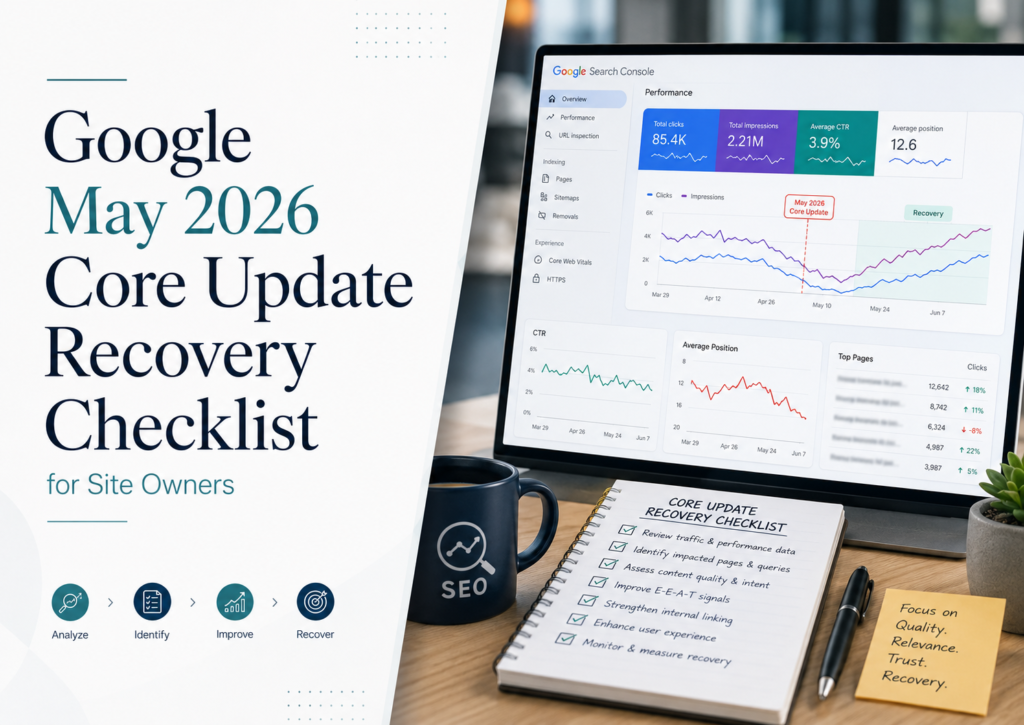
Google Updates & SEO Recovery
Google’s May 2026 core update is complete. It ran from May 21 to June 2, 2026. If your organic traffic is still down, the first question is no longer “should I wait for the rollout to finish?”
The useful question now is: did the May core update actually cause the loss? Technical issues, lower search demand, a different ranking URL, changing SERP intent, and Google’s later June and August spam updates can create similar traffic charts. This guide shows how to isolate the cause before deciding what to fix.
By Rahul S., Search Counsel Co. Last updated August 2026.
Quick answer: How do you recover from the May 2026 Google core update?
Confirm that the traffic loss persisted after the update finished, compare a clean pre-update period with a clean post-update period in Google Search Console, identify the exact pages and query groups that declined, rule out technical and later-update causes, check what now ranks instead, and make only the smallest change supported by that evidence. Do not rewrite an entire site because one traffic graph dropped during the rollout.
SearchCounselCo recovery principle: a date overlap makes the May update a possible cause. It does not make it a proven cause.
Measure
Prove the loss
Use clean Search Console periods, pages and query cohorts.
Isolate
Rule out other causes
Technical, demand, URL ownership and later Google updates.
Compare
Study what replaced you
Intent, destination type, information gain and task completion.
Validate
Prove recovery
Track the same affected pages and queries after each intervention.
Jump to what you need
Google May 2026 Core Update Status: Complete
Google’s Search Status Dashboard confirms that the May 2026 core update started on May 21, 2026 at 08:40 US/Pacific and completed on June 2, 2026.
The rollout lasted approximately 11 days and 21 hours.
| Event | Date | Status |
|---|---|---|
| May 2026 core update begins | May 21 | Confirmed by Google |
| May 2026 core update completes | June 2 | Complete |
Official source:
Google Search Status Dashboard — May 2026 core update
.
The page should now be treated as a post-update recovery audit, not a rollout-monitoring guide.
The Timeline Matters More Than It Looks
A traffic chart covering May through August contains more than one confirmed Google ranking event.
| Period | What was happening? | How to use it |
|---|---|---|
| Before May 21 | Before May core rollout | Baseline candidate |
| May 21–June 2 | May core update rolling out | Use to see when movement began, not as final-state comparison |
| June 3–9 | First week after completion | Google recommends waiting before final analysis |
| June 10–23 | Post-May period before the next confirmed ranking update | Useful May-specific diagnostic window |
| June 24–26 | June 2026 spam update | Introduces another ranking variable |
| June 27–Aug 17 | Later post-May period | Useful for persistence/recovery tracking |
| Aug 18–21 | August 2026 spam update | Another ranking variable |
Google lists the later ranking incidents in its
Search Ranking incident history
.
Important: if a second drop began June 24 or August 18, do not automatically roll it into the May diagnosis.
Was Your Traffic Drop Actually Caused by the May 2026 Core Update?
Timing is the first clue, not the final diagnosis.
A strong May-update attribution usually has several pieces of evidence pointing in the same direction:
- The decline began during or immediately around the May 21–June 2 rollout.
- The loss remained after the update finished.
- Important pages or query groups lost Search visibility.
- Technical/indexing problems do not better explain the loss.
- Different pages or result types replaced your previous rankings.
- The timing does not align more closely with another confirmed Google update.
Google itself recommends confirming that the update has completed and reviewing Search Console before deciding that changes are needed.
See:
Google Search’s core updates and your website
.
Best Search Console Dates to Compare for the May 2026 Update
Google recommends waiting at least a full week after a core update completes before doing the main Search Console analysis.
For this specific update, one clean SearchCounselCo comparison is:
Pre-update
May 7–20
Two weeks immediately before the May rollout.
Post-update
June 10–23
Begins more than one week after completion and ends before the June spam update.
These exact dates are a SearchCounselCo May-specific methodology derived from Google’s official update dates and one-week waiting guidance. Google does not prescribe these exact two-week ranges.
Do not rely on one comparison
Also check:
- a 28-day comparison,
- year-over-year where seasonality matters,
- individual search types,
- device and country segments,
- the affected page/query cohort rather than only total site traffic.
Use Attribution Confidence Instead of Saying “Google Hit Us”
| Confidence | Evidence | Language to use |
|---|---|---|
| Low | Only date overlap | “May is one possible explanation.” |
| Moderate | Persistent Search visibility loss + timing fit | “The May update is a credible cause.” |
| Strong | Timing + persistent query/page loss + technical alternatives ruled out + replacement evidence | “The evidence strongly aligns with the May update.” |
Attribution Confidence is a SearchCounselCo diagnostic framework, not a Google metric.
Seven Different Problems Can Look Like a Core Update Traffic Drop
| Failure type | Typical pattern | First check |
|---|---|---|
| 1. Ranking loss | Priority queries/pages lose visibility and position | Query/page comparison + controlled ranking evidence |
| 2. CTR / search-surface loss | Impressions remain stronger than clicks | Titles, snippets, competing results and SERP features |
| 3. Search-demand loss | Rank largely holds while impressions fall | Query demand, seasonality and trend context |
| 4. Technical/indexing loss | Pages disappear or indexing signals change | Indexing, canonicals, robots, server responses and manual actions |
| 5. Query-mix/reporting effect | Average metrics change but the observed query set also changes | Query-level comparison rather than sitewide averages |
| 6. URL ownership change | Another URL from your site replaces the intended page | Expected URL vs actual ranking URL |
| 7. Later-update effect | Loss begins closer to June 24 or August 18 | Official Search Status timeline |
Google’s own traffic-drop guidance also lists several possible causes beyond algorithmic updates, including technical issues, security problems, seasonality and site moves.
See:
Debugging drops in Google Search traffic
.
Find the Pages That Actually Lost Visibility
Start with page-level evidence before rewriting anything.
In Search Console:
- Open Performance → Search results.
- Apply the clean date comparison.
- Open the Pages tab.
- Sort by lost clicks and impressions.
- Identify whether the problem is concentrated in a folder, template or page type.
- Separate important commercial pages from low-value URLs.
- Create a frozen list of the pages you will monitor through recovery.
Do not measure recovery using total site traffic if only ten pages were originally affected. Measure the same affected cohort.
Find the Query Cohorts That Actually Changed
After identifying a page, inspect its queries.
Look for:
- queries that lost impressions,
- queries that lost clicks,
- queries that moved out of the top 10 or top 20,
- commercial queries behaving differently from informational queries,
- branded and non-branded groups moving differently,
- long-tail query coverage disappearing while head terms remain.
Do not reconstruct the whole story from visible query rows
Search Console can omit anonymized queries for privacy, and the visible query table does not always represent every impression or click included in the headline totals.
If your queries seem to disappear or the totals do not match, see
why keywords disappear from Google Search Console
.
Average position is not enough
Sitewide average position can change because the query mix changed. Confirm important losses at page/query level and, where needed, with a controlled rank tracker.
SearchCounselCo’s keyword rank tracking guide explains how to separate controlled rank from Search Console average position.
Check Whether Another URL From Your Site Took Over
A page can lose a query while your domain still ranks through another URL.
For every high-value lost query, record:
- Expected URL: the page intended to own the query.
- Actual URL: the page Google currently surfaces.
If another internal page repeatedly takes over, investigate:
- intent overlap,
- internal linking,
- duplicate or near-duplicate topics,
- page consolidation,
- whether Google now prefers a different page type.
The Most Important Recovery Question: Does Your Page Still Fit the SERP?
“Make the content better” is not enough if Google is now favoring a fundamentally different destination.
For each important lost query, study the current winning results.
| SERP Destination Fit field | Question |
|---|---|
| Intent | Is the query informational, transactional, local, navigational or comparison-driven? |
| Winning destination type | Guide, tool, product, category, marketplace, local result, forum, official source or video? |
| Your destination type | Does your URL satisfy the same job? |
| Task completion | Can the user actually complete the task on the winning result? |
| Original evidence | Does the winner include firsthand data, tools, examples or research? |
| Market fit | Does geography, inventory, entity or local availability matter? |
| Recoverability | Can the current URL realistically satisfy today’s SERP? |
Example: if Google now strongly favors tools for a query, adding another 1,500 words to an informational guide may not solve the destination mismatch.
What the May 2026 Data Actually Shows
Google’s official documentation confirms the update dates and provides recovery guidance. It does not publish a list of exact ranking factors that “won” or “lost” during May.
Third-party studies observed substantial ranking churn.
- SE Ranking analyzed a large keyword sample and reported significant movement among previously top-ranking URLs.
- SISTRIX documented major visibility shifts across its domain datasets.
- Independent analyses, including Aleyda Solis’s work, found examples where search intent, market fit and the type of source Google surfaced appeared more useful than simplistic “all aggregators lost” or “authority always won” narratives.
| Evidence level | How to treat it |
|---|---|
| Google documented | Official dates, Search guidance and documented systems |
| Third-party observed | Measured patterns in specific datasets |
| SearchCounselCo inference | Hypothesis derived from your own SERP/site evidence |
Do not turn winner/loser studies into ranking-factor recipes. A category gaining visibility does not prove that Google rewarded that category as a ranking factor.
Build a Competitor Replacement Log
“Compare competitors” is too vague.
For each important query your page lost, record:
| Query | Lost URL | Old position | Current position | New winner | Destination type | Intent | Original evidence | Task completion | Gap | Hypothesis |
|---|---|---|---|---|---|---|---|---|---|---|
| Example query | /old-page/ | 6 | 18 | Competitor URL | Tool | Task completion | First-party | High | Wrong destination type | Reposition may beat rewrite |
Which Pages Should You Fix First?
Do not prioritize only by traffic loss.
A page is a stronger recovery candidate when several conditions align:
- it matters to leads, revenue or topical authority;
- it had meaningful pre-update visibility;
- it is still reasonably close to page one;
- its intent still matches the current SERP;
- its destination type is still competitive;
- the correct URL is still the intended owner;
- there are clear information or experience gaps you can actually fix;
- the page is technically eligible to rank.
SearchCounselCo Recovery Opportunity Score
| Factor | Ask |
|---|---|
| Business value | Does recovery matter commercially? |
| Pre-update strength | Was the page previously competitive? |
| Current distance | Is the page still in realistic recovery range? |
| Intent fit | Does it still satisfy the dominant intent? |
| Destination fit | Is Google still ranking this type of page? |
| Information gain potential | Can you add something meaningfully better? |
| Technical eligibility | Can the page be crawled, indexed and consolidated correctly? |
The Recovery Opportunity Score is a SearchCounselCo editorial prioritization framework, not a Google ranking metric.
Assess Affected Pages Using Google’s Real Quality Questions
Once a page passes the diagnosis gate, assess whether it genuinely helps the searcher better than the current alternatives.
Google’s people-first guidance asks site owners to think about questions such as:
- Does the content provide original information, reporting, research or analysis?
- Is the explanation substantial and useful?
- Does the page add value beyond simply summarizing other sources?
- Is authorship clear?
- Does the content demonstrate firsthand knowledge or real expertise where relevant?
- Would a user feel they learned enough to achieve their goal?
- Was the page primarily created to help people rather than manipulate rankings?
Source:
Google Search Central — Creating helpful, reliable, people-first content
.
Adding an author bio, FAQ block or extra 1,000 words is not a recovery strategy by itself. The improvement needs to resolve an identified user or SERP gap.
Choose the Smallest Correct Intervention
Not every affected page needs a rewrite.
| Intervention | Use when |
|---|---|
| Protect / monitor | Small movement, strong intent fit, no clear gap |
| Light improvement | Page remains competitive but has identifiable freshness or clarity gaps |
| Controlled rewrite | Large sustained loss plus clear intent/information gaps |
| Reposition | The current SERP expects a substantially different destination or task |
| Consolidate | Two internal URLs compete for the same intent without useful separation |
| Technical fix first | Indexing, canonical, crawl, redirect or server problems block eligibility |
Do not rewrite yet when:
- the page is deindexed or noindexed;
- a canonical changed unexpectedly;
- robots or server problems exist;
- another internal page took over the query;
- search demand fell but rankings held;
- the loss began closer to a later Google update;
- the current SERP clearly expects a different destination type.
Compare Branded and Non-Branded Discovery Carefully
If branded search remains stable while non-branded query performance falls, broader organic discovery may have weakened.
But do not interpret non-branded traffic as proof that every user is new to the company.
A non-branded query simply does not explicitly contain the brand signal used by the classification system.
For the complete methodology, use SearchCounselCo’s
branded vs non-branded traffic guide
.
What If Impressions Hold but Clicks Fall?
Stable visibility with weaker clicks is not automatically a core-update ranking loss.
Investigate:
- title and snippet changes,
- new competing results,
- AI Overviews,
- featured snippets,
- ads and shopping features,
- query/device mix,
- changes in search demand.
SearchCounselCo’s
SERP-feature and AI Overview tracking guide
can help separate rank from search-surface changes.
What If Traffic Fell Again in June or August?
Do not extend the May diagnosis indefinitely.
June 24–26
Google confirmed a global June 2026 spam update affecting all languages.
Official source:
Google Search Status Dashboard — June 2026 spam update
.
August 18–21
Google also confirmed an August 2026 spam update.
Use the
official ranking incident history
when matching later traffic changes to known ranking events.
Timeline rule: if the decline clearly began before a named update started, that later update cannot explain the beginning of the loss.
Keep a Recovery Change Log
If you make five unrelated changes at once, you reduce your ability to learn what helped.
Record every meaningful intervention.
| URL | Failure type | Evidence | Attribution confidence | Intervention | Exact change | Change date | Expected signal | Review date | Observed result |
|---|---|---|---|---|---|---|---|---|---|
| /example/ | Ranking loss | Top queries 7 → 18 | Strong | Controlled rewrite | Intent + original example | YYYY-MM-DD | Impression/rank recovery | YYYY-MM-DD | Pending |
How Do You Know the Core Update Recovery Worked?
Recovery has layers.
| Recovery level | Evidence |
|---|---|
| 1. Technical | Crawl/index eligibility restored where it was broken |
| 2. Impression | Affected pages begin appearing more often |
| 3. Ranking | Priority query cohorts move upward |
| 4. Click | Search clicks return |
| 5. Business | Leads, revenue or other meaningful outcomes recover |
Google notes that some improvements can become visible within days, while other changes may take months for its systems to evaluate. You do not necessarily have to wait for the next announced core update, but recovery is not guaranteed.
Watch for False Recovery
Total organic traffic can improve while the original May losses remain unresolved.
Examples:
- a new unrelated blog post gains traffic;
- brand demand increases;
- seasonality returns;
- one viral page masks continuing losses;
- average position improves because the query mix changed;
- impressions increase only at weak positions;
- informational traffic returns while important commercial pages remain down.
Validate recovery against the same affected URLs and query cohorts you froze before the intervention.
Google Core Update Recovery Checklist: May 2026
- Confirm that the May update ran May 21–June 2.
- Record the June and August spam updates so later losses are not automatically attributed to May.
- Compare a clean pre-update period with a clean post-update period.
- Freeze the affected page cohort.
- Freeze the affected query cohort where data permits.
- Classify the problem as ranking, CTR, demand, technical, query-mix, URL ownership or later-update.
- Check indexing, canonicals, robots, server responses, Manual Actions and Security Issues.
- Check whether another URL from your domain replaced the expected page.
- Inspect what now ranks for each important lost query.
- Record the dominant search intent and destination type.
- Check whether the existing page still fits that SERP.
- Separate Google-confirmed information from third-party observations and your own hypotheses.
- Prioritize pages by business value, current ranking distance and recoverability.
- Choose the smallest intervention supported by the evidence.
- Log the exact changes and dates.
- Measure recovery against the original affected cohort.
- Track impressions, query positions, clicks and business outcomes separately.
- Do not call total-site traffic growth “recovery” if the affected pages remain weak.
Google May 2026 Core Update FAQ
Is the May 2026 Google core update complete?
Yes. Google’s Search Status Dashboard shows that the May 2026 core update ran from May 21 to June 2, 2026 and lasted about 11 days and 21 hours.
What dates should I compare in Search Console?
Google recommends waiting at least one full week after a core update finishes. For a May-specific two-week comparison, SearchCounselCo uses May 7–20 as a pre-update baseline and June 10–23 as a clean post-update window because it begins more than a week after completion and ends before the June spam update.
How do I know whether the May core update caused my traffic loss?
A date overlap is only the first clue. Confidence increases when affected pages and queries show persistent Search visibility losses, technical alternatives are ruled out, replacement results can be identified, and the timing fits May better than another Google update.
Should I rewrite every page that lost traffic?
No. First identify the failure type and determine whether the page still matches the current SERP intent and destination type. Some URLs need only a light improvement, while others need technical fixes, consolidation, repositioning or no immediate change.
Was my site penalized by the May 2026 core update?
A core update is not the same as a Manual Action. Google’s core updates are broad ranking-system changes. If you suspect a penalty or enforcement issue, check the Manual Actions and Security Issues sections in Search Console separately.
What if my rankings stayed stable but clicks fell?
Investigate CTR, search demand and SERP composition rather than assuming a ranking loss. Titles, competing snippets, AI Overviews, ads, device mix and other Search features can change click opportunity while traditional ranking remains similar.
What if my traffic dropped again in late June?
Google ran a separate spam update from June 24 to June 26, 2026. A new decline beginning around that period should be evaluated separately rather than automatically attributed to the May core update.
What if traffic changed again in August?
Google also ran an August 2026 spam update beginning August 18 and completing August 21. Compare the actual start date of your decline with the official incident timeline before assigning a cause.
How long can core update recovery take?
Google says some changes may be reflected within days while others can take several months for its systems to evaluate. You do not always have to wait for another announced core update, and there is no guarantee that every change will produce a ranking improvement.
Need Help Proving What Actually Caused the Drop?
SearchCounselCo reviews Search Console page and query data, update timelines, ranking evidence, SERP replacements, internal URL ownership and technical signals before recommending recovery work.
The One Thing to Do Next
Do not start by rewriting your biggest traffic loser.
Pick one high-value affected URL and complete this sequence:
- Confirm when its decline actually began.
- Compare the clean pre-May and post-May periods.
- Identify the lost query cohort.
- Rule out technical and URL-ownership issues.
- Record what currently ranks instead.
- Decide whether the existing page still matches the dominant SERP destination.
- Make the smallest change supported by that evidence.
- Log the intervention.
- Measure the same page/query cohort again.
Recovery is not “we changed the page and traffic later increased.” Recovery is showing that the affected search visibility returned after an intervention that matched the diagnosis.
Sources & Methodology
Google Search Status Dashboard — May 2026 core update
Google Search Central — Core updates and your website
Google Search Central — Debugging Search traffic drops
Google Search Central — Creating helpful, reliable, people-first content
Google Search Status Dashboard — June 2026 spam update
Google Search Status Dashboard — Ranking update history
SearchCounselCo — Google Search Console Performance Report
SearchCounselCo — How to Track Keyword Rankings
SearchCounselCo — Branded vs Non-Branded Traffic
SearchCounselCo — Tracking SERP Features and AI Overviews
SearchCounselCo methodology: the May 7–20 versus June 10–23 comparison, Attribution Confidence, SERP Destination Fit, Recovery Opportunity Score, Competitor Replacement Log and Recovery Validation Ladder are SearchCounselCo editorial diagnostic frameworks. They are not Google ranking metrics or Google-prescribed scoring systems.
Evidence standard: official update dates and Google guidance are treated separately from third-party ranking studies and SearchCounselCo inference. Industry winner/loser studies can reveal useful patterns, but they do not by themselves prove which ranking factor caused an individual site’s movement.
Final Takeaway: Diagnose the May Update Before Trying to Recover From It
The May 2026 core update finished on June 2. There is no reason to keep treating today’s data as rollout volatility.
But there is also no reason to assume every traffic decline that happened after May came from the May update.
Start with a clean timeline. Freeze the affected pages and queries. Separate ranking loss from CTR, demand, technical and reporting effects. Check whether another internal URL took over. Study the results that replaced you and determine whether the searcher now expects a different destination.
Then make one evidence-backed intervention and measure the same cohort again.
That turns a generic “core update recovery checklist” into something much more useful:
a repeatable system for proving what changed, deciding what deserves work, and verifying whether the recovery actually happened.