Search Counsel Co. · Google algorithm updates
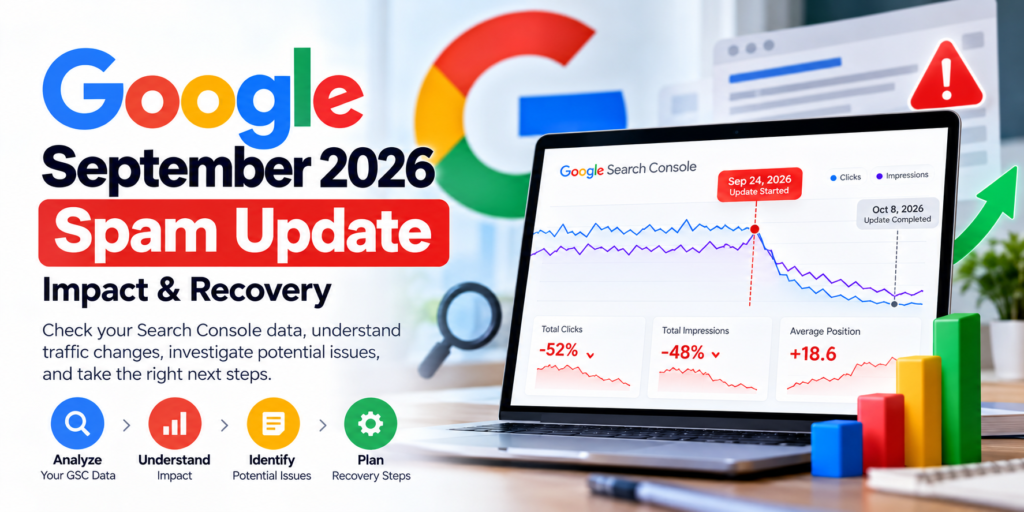
Google's September 2026 spam update is complete. It started on September 24 and finished on October 8. If your Search traffic changed, check the affected pages and queries before concluding that your site violated a spam policy.
This guide provides the official timeline, a local Search Console CSV comparison tool, an evidence-led troubleshooting process, and a policy-aware recovery checklist. It cannot tell you whether Google applied an automated spam classification to your site.
See the officially confirmed facts in under a minute.
Compare your GSC exports, with limitations recorded.
Check the actual rules, not rumors or a penalty score.
9:15 a.m. US/Pacific
1:00 a.m. US/Pacific
All languages; approximately 13 days, 16 hours
Source: Google Search Status Dashboard, September 2026 spam update. Status applies to the rollout, not to whether any particular website was affected.
Official facts first
What happened in the September 2026 Google spam update?
Google began rolling out a spam update on September 24, 2026, at 9:15 a.m. Pacific and confirmed completion on October 8, at 1:00 a.m. Pacific. Google described it as affecting all languages and regions. The update was recorded as an incident affecting Search ranking, not a Search Console outage. Read Google's incident record.
Google periodically improves the automated systems it uses to detect search spam. Its spam-update guidance recommends reviewing spam policies when a site changes after an update. It does not establish that every site experiencing a decline violated a policy, and the September announcement did not identify a new violation category.
Important distinction: This was announced as a spam update—not a specifically named link-spam update, not a broad core update, and not a batch of manual-action notices. Do not infer a particular target, such as all AI-written content or all backlinks, from the update name alone.
Start with evidence
Did the September spam update affect your website?
First establish whether the change happened in relevant search visibility, clicks alone, indexing, or a small selection of URLs. Compare the same property, search type, countries, devices, and query/page dimensions. A decline aligned with a rollout can be a useful investigation lead, but timing by itself does not prove causation.
Check before changing content
- Open Google Search Console and select the correct property.
- Review Web Search clicks, impressions, and average position on comparable dates.
- Check whether particular pages or query groups lost visibility, rather than only comparing one sitewide CTR.
- Inspect indexing, canonical selection, and manual-action reports separately.
Do not infer these from a graph
- A percentage decline is not a verified spam penalty.
- Zero clicks are not automatically evidence of a problem if rankings are deep or impressions are small.
- One day's position is not a stable ranking.
- A missing query from a CSV does not mean nobody searched for it.
Interactive research tool
Free Google Spam Update Impact Analyzer
This analyzer compares two Search Console CSV files exported for equivalent periods and with matching filters. It calculates observed differences and displays which visible page or query rows changed. Files are read locally in this browser; no data is sent to Search Counsel Co.
Compare your Search Console data
In Search Console, export Pages.csv or Queries.csv for the earlier and comparison periods using equivalent filters. For verified daily coverage, use a matched pair of Chart.csv exports. Optional paired Filters.csv files let the tool compare non-date filter entries; they do not independently prove property ownership or reporting dates. ZIP and XLSX files are not supported. Query/page exports can omit or truncate rows, so matched rows are a limited cohort rather than a complete property total.
Observed changes
Clicks — two separate periods
Impressions — separate scale
Position movement for matched visible rows
These categories describe observable changes, not verified algorithmic losses or a representative sample of all searches.
Evidence-led next checks
Inspect detailed imported rows and full comparison table
Matched queries or pages, followed by unavailable rows
Only matched rows have calculated differences. A missing row means Not present in export, not zero traffic. Positive position change means a worse average position.
| Query / Page / Dimension | Evidence status | Earlier clicks | Later clicks | Δ clicks | Earlier impressions | Later impressions | Δ impressions | Earlier CTR | Later CTR | Δ CTR (pp) | Earlier position | Later position | Δ position |
|---|
What to investigate next
Recommendations describe possible investigations, not a verified Google spam penalty, manual action, or algorithmic cause. Review the underlying GSC reports before making irreversible site changes.
Exported CSV values are sanitized against spreadsheet formula injection. The report describes observations, not confirmed algorithmic causes.
What the analyzer can and cannot know
| It can calculate | It cannot establish |
|---|---|
| Differences in exported clicks and impressions across matched periods | Whether Google marked your site as spam |
| Changes to the visible page/query entries | That a query missing from a limited export had zero genuine searches |
| Aggregate change for two daily Chart CSVs | A complete sitewide query-by-page relationship from separate tables |
| Potential follow-up areas for a human investigation | A guaranteed ranking recovery timeline or algorithmic-cause verdict |
Google says normal Search Console table exports can be limited to 1,000 rows; anonymized queries can be omitted, and totals can differ because of aggregation. For complete page-level reporting, use the actual chart/report totals as the governing baseline when available. Google's export documentation and data-discrepancy guidance explain the limitations.
Correct timing
Which dates should you compare in Search Console?
Use equal-length periods with matching filters. The dates below are a practical investigation framework, not a Google-prescribed attribution model. Google's reporting dates are based on Pacific Time for the standard Performance view, and the latest days may be incomplete.
| Period | Dates (inclusive) | Why use it? |
|---|---|---|
| Earlier | September 10–23 | 14 days before rollout |
| During | September 24–October 7 | 14 days covering the rollout, excluding completion day |
| After | October 9–22 | 14 days after completion; not yet available on October 8 |
Do not publish a post-rollout results claim today. A complete October 9–22 comparison cannot exist on October 8. Treat the earlier-versus-during calculation as a preliminary observation, and rerun the analysis after complete post-rollout data becomes available.
Keep countries, devices, search types and page filters consistent. Verify whether the site was changed during the comparison period. If the affected queries are seasonal or news-driven, compare longer periods or use Google Trends as additional context. Google's traffic-loss guidance explains why single-metric comparisons are insufficient.
Interpret, do not assume
What do drops in impressions, clicks, CTR, and position mean?
| Observed pattern | First investigation | Avoid assuming |
|---|---|---|
| Clicks and impressions fall together | Relevant query loss, technical access, demand changes, SERP competition | That the spam system caused it |
| Impressions steady, clicks decrease | Query position, device mix, SERP features, title and snippet | That a meta-description change will fix it |
| Only some URLs lose visibility | Page intent, duplication, canonical selection, internal links | That the whole domain is affected equally |
| Major indexing changes | URL Inspection, noindex, redirects, robots, hosting, selected canonical | That content quality is the root cause |
| Manual action appears in GSC | Read the exact notice and policy, fix affected issues, then request review if applicable | That every spam update creates manual actions |
Why position averages need special care
An average position can move because the query or page mix changed—even when the same key query did not change. Compare the same query group across periods, ideally at the same country and device. Do not average already averaged positions from different rows without considering their impression weights and aggregation limits.
Example: what a real diagnostic decision looks like
Fictional example, not client research: A guide falls from 1,200 to 600 impressions in equivalent 14-day periods. Clicks decline from 48 to 20. The owner checks the same query group and sees that its average position has worsened. That justifies investigating search visibility and page relevance. It does not establish a spam-policy violation. The owner checks URL Inspection, recent site changes, competing results, query demand, and actual policy risks before changing the page.
The analyzer's "Try fictional sample" uses illustrative numbers; it does not represent Search Counsel Co. results or the September 2026 update.
How to interpret a missing GSC query row
Fictional illustration: Suppose a query appears with 100 impressions in your earlier Queries.csv and is absent from the later file. A simple spreadsheet join might imply a loss of 100 impressions. That conclusion is not supported by the exported rows: the later value is unknown, because query tables can omit or limit records. Version 3 labels this row Not present in later export and does not calculate its loss. A matching query appearing in both periods can support a comparison, but still cannot identify the cause of a ranking change.
Our original methodology · reproducible, not fabricated research
What makes a September spam-update comparison trustworthy?
The analyzer implements a transparent method rather than claiming to know Google's private spam classifications. It validates compatible dimensions, counts visible matched rows, distinguishes missing values, and limits strong interpretations when the evidence is sparse. The tool can test readers' own exported data; no customer performance claims are made on this page.
1. Evidence you can verify
Exact date coverage for daily Chart.csv; available Filters.csv comparisons; numeric field validation; counts of matched and unmatched rows.
2. Evidence that remains limited
Recent data can be preliminary. Query/page exports have no per-day dates and may omit anonymized or low-frequency rows. Aggregate average positions can change with query mix.
3. Causation cannot be inferred
A decline during September 24–October 8 is a reason to investigate—not a Google penalty classification. Technical changes, demand and search-result changes must be considered.
Why we did not invent a September recovery study
As of October 8, the clean October 9–22 post-rollout window has not happened. No verified, permissioned Search Counsel Co. dataset establishing the update's effect is available for this article. We therefore show only clearly labeled fictional tool examples and publish the method and its limitations now. A genuine case study belongs here after the relevant observations can be verified.
What independent research can and cannot show: WEBRIS studied eight law firms and reported clicks declining even as average positions improved, but key observations predated the September 24 rollout. Previsible studied 25,000 query pairs around the August spam update, not September. Those studies illustrate methodological care; neither establishes a September penalty for your website.
See Google's data aggregation and privacy limitations and Google's traffic-drop investigation. A normal CSV cannot substitute for URL Inspection, the Manual Actions report, Google Trends, or full server/release history.
Use the actual rules
Which Google spam policies should website owners review?
Google's public spam policies apply generally; the September update did not establish that every listed abuse type was newly targeted. If a website uses any of the following practices, investigate them on their own merits.
Scaled content abuse
Large amounts of unoriginal or low-value content made primarily to manipulate rankings, regardless of whether automation, AI or humans produced it.
Site reputation abuse
Third-party pages placed on an established host primarily to exploit that host's ranking signals, rather than serve a legitimate site purpose.
Doorway abuse
Many similar pages built mainly to rank for variations of the same queries and lead users toward essentially the same destination.
Cloaking and deceptive presentation
Deliberately showing materially different content to search engines and visitors to manipulate search behavior.
| Also investigate when applicable | Actual evidence to check | Do not assume |
|---|---|---|
| Link spam | Documented link-buying, manipulative exchanges or automated linking practices; Google's link-spam guidance | Every unknown backlink caused this update |
| Expired-domain abuse | Repurposed expired domains primarily exploiting their previous ranking signals | Every acquired domain is abusive |
| Hacked content | Search Console Security Issues, injected URLs, server/CMS logs | Any traffic drop proves a hack |
| Deceptive redirects or hidden text | Real redirect traces, browser vs crawler experience, rendered DOM | Every redirect or accessibility-only hidden element is deceptive |
Is AI content automatically spam? No. Google's scaled-content abuse policy centers on manipulative mass production of low-value pages, regardless of how the pages are created. Useful original material is not automatically a violation because AI assisted with drafting. Check the actual purpose, quality and practices rather than labeling every AI-supported article spam.
Spam update, core update, and manual action are different
| Event | What it means | Where to start |
|---|---|---|
| Spam update | Improvements to automated spam detection | Review traffic evidence and relevant spam policies |
| Core update | Broad changes to how Google assesses and ranks content | Investigate content usefulness and relevant competitive search results |
| Manual action | Human-reviewed action recorded in Search Console when applicable | Read the exact Manual Actions report and follow its specific remedy |
For the core-update comparison, see Search Counsel Co.'s existing May 2026 core update recovery guide. For a separate technical explanation, see how to investigate indexing problems.
Choose the appropriate response
Google spam update recovery checklist: what to do next
- Confirm the official rollout timeline. Document that the update ended October 8. Do not substitute rumors for the official record.
- Freeze the reporting baseline. Save the precise Search Console property, search type, filters, dates, and original exports before making a large revision.
- Identify the real loss. Compare the same pages, relevant query clusters, and countries. Distinguish broad losses from one declining page.
- Check technical and manual-action evidence. Inspect canonical/index status, recent deployments, server errors, security alerts, and the Manual Actions report.
- Review applicable spam policies. Look for demonstrable problems, such as doorway pages, scaled low-value content, misleading redirects, or abuse of host-site reputation. Do not invent a violation to explain an ambiguous decline.
- Fix confirmed issues proportionately. Improve or remove genuinely abusive practices; make content corrections where evidence justifies them. Avoid mass deletion, indiscriminate disavows, or sitewide rewrites in response to a single graph.
- Allow time and measure again. Save the change log and evaluate complete comparable periods after the rollout. Google's automated spam systems may take months to recognize sustained compliance; rankings are not guaranteed to recover.
When should you request reconsideration? Only when the Manual Actions report shows an applicable manual action and you have addressed the reported issue. A suspected automated spam-system effect does not by itself create a reconsideration-request workflow. Check Search Console's own instructions.
Avoid a dangerous shortcut: If your only evidence is a temporary fall in clicks, do not delete hundreds of pages, change canonical URLs, or disavow backlinks simply because they exist. First establish which pages, queries, and technical conditions actually changed.
Verify the claims
Official references and supporting guides
- Google Search Status Dashboard — September 2026 spam update: exact dates, scope, completion.
- Google spam updates and your site: purpose of updates and policy-recovery guidance.
- Google's spam policies: behaviors and practices to review.
- Google's traffic-drop investigation guide: traffic diagnosis and alternative explanations.
- Google's standard export limitations and reporting discrepancy guidance.
Fast answers
September 2026 spam update: common questions
When did the September 2026 Google spam update finish?
Google recorded completion at 1:00 a.m. Pacific on October 8, 2026, following a September 24 start. The rollout took just under 14 days.
How do I know whether the update caused a ranking decline?
You generally cannot establish algorithmic causation from Search Console traffic data alone. Compare relevant queries and pages before, during, and after the rollout; also investigate technical changes, search demand, competitors, and policy compliance.
Did this update target AI-written content?
Google did not specify an AI-written-content target in the update announcement. Its existing scaled-content abuse policy concerns low-value content produced primarily to manipulate rankings, regardless of whether AI was used.
Is a spam update the same as a manual action?
No. Automated spam systems and manual actions are separate processes. A manual action can appear in Search Console's Manual Actions report, with specific instructions.
How long does spam-update recovery take?
There is no universal recovery timetable. Google says automated systems may require months to recognize sustained compliance following policy corrections. Fixing issues does not guarantee restored rankings.
Does your analyzer access my GSC account or send my data to your server?
No. It processes the CSV files you select locally in your browser. It does not connect to Google or upload the file contents. Review any downloaded report before sharing it.
Why does the tool say “Not present in export” instead of zero?
Pages or queries missing from a standard GSC export may be anonymized, omitted, or outside an export row limit. A missing row is not proof of zero impressions or clicks. Version 3 calculates row-level changes only for entries visible in both files.
Can this tool verify the dates inside a Queries.csv file?
No. Standard Queries.csv and Pages.csv tables do not include per-day dates. The dates you enter are a declaration. With Chart.csv the tool checks that every day within the selected reporting range exists; paired Filters.csv files can help verify matching non-date filters.
Why are the query totals different from my Search Console chart totals?
Search Console may omit anonymized queries, truncate table exports, or aggregate reporting dimensions differently. Do not replace chart-level totals with sums from visible query rows.
Editorial transparency: Updated for Google's October 8, 2026 rollout completion; analysis method and interactive calculations reviewed October 8, 2026. No website-specific penalty, recovery outcome, or new update target has been independently established by this article. The interactive tool calculates differences in submitted data, not Google algorithm decisions. The WordPress template should display accurate author and modified-date fields.